27
DVD MENU OPERATION
AUDIO SET UP
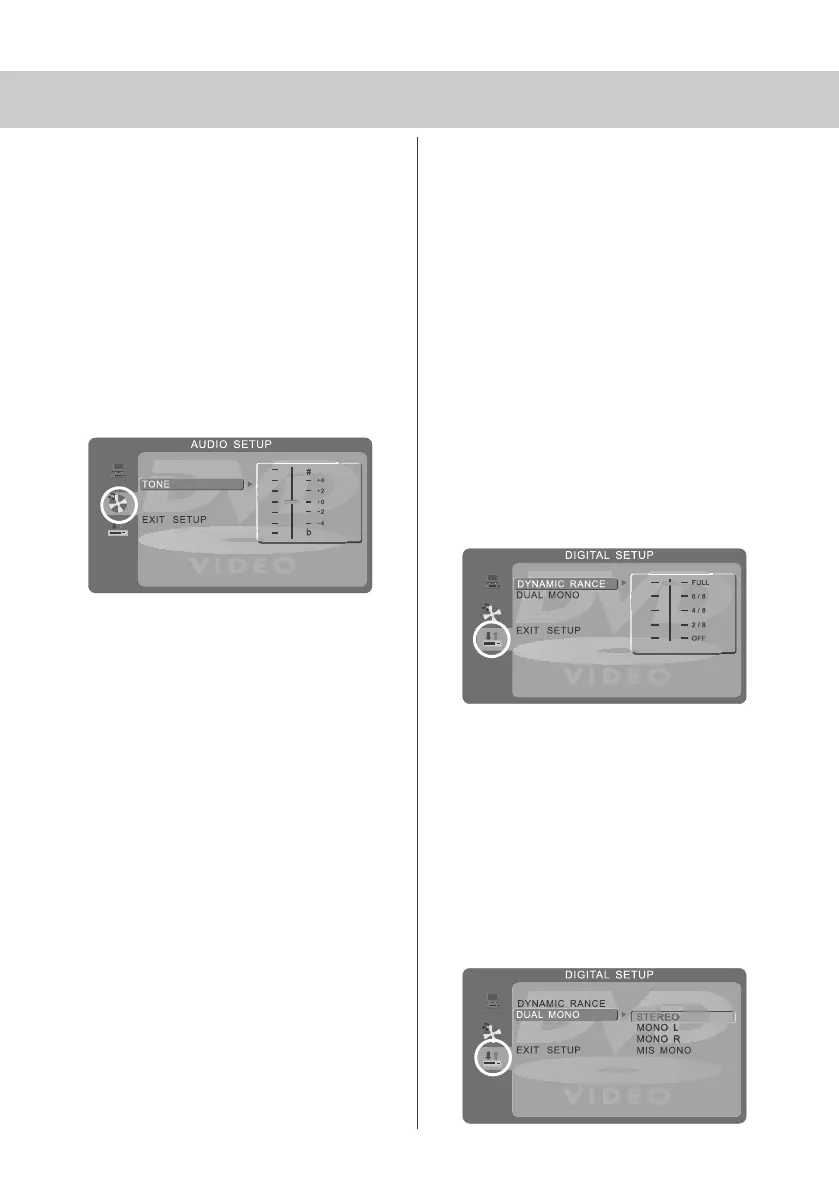
Adjusting Tone
Lets you increase or decrease the Tone
of the sound
1) Press [DVD-SETUP] to enter menu
2) Press [\/] to select Audio Set Up
3) Press [>] to enter menu
4) Press [\/] to select Tone
5) Press [>] to enter menu
6) Press [\/] or [/\] to increase or decrease
the tone
7) Press [OK] to confirm
8) Press [DVD-SETUP] to exit
DIGITAL SET UP
Adjusting Dynamic Range
This is the difference between the quietest and
loudest sounds. This setting works only with
DVD discs recorded in Dolby digital.
FULL: Set this to listen with the range recorded
on the disc.
4/8: Set this to listen with a range equivalent
to a normal television.
2/8: Set this to listen with a smaller difference
between the maximum and minimum volume.
1) Press [DVD-SETUP] to enter menu
2) Press [\/] twice to select Digital Set Up
3) Press [>] to select Dynamic Range
4) Press [>] to enter menu
5) Press [\/] or [/\] to increase or decrease
the Dynamic range
6) Press [OK] to confirm
7) Press [DVD-SETUP] to exit
Adjusting the Sound
Lets you change the sound between Stereo,
Mono Left, Mono Right and Mixed Mono.
1) Press [DVD-SETUP] to enter menu
2) Press [\/] twice to select Digital Set Up
3) Press [>] to enter menu
4) Press [\/] to select Dual Mono
5) Press [>] to enter menu
6) Press [\/] or [/\] to switch between Stereo,
Mono L, Mono R and Mix Mono
7) Press [OK] to confirm
8) Press [DVD-SETUP] to exit
19_18 english manual 27.pdf 6. 5. 2009 12:32:07


 To Next Page