17
ace
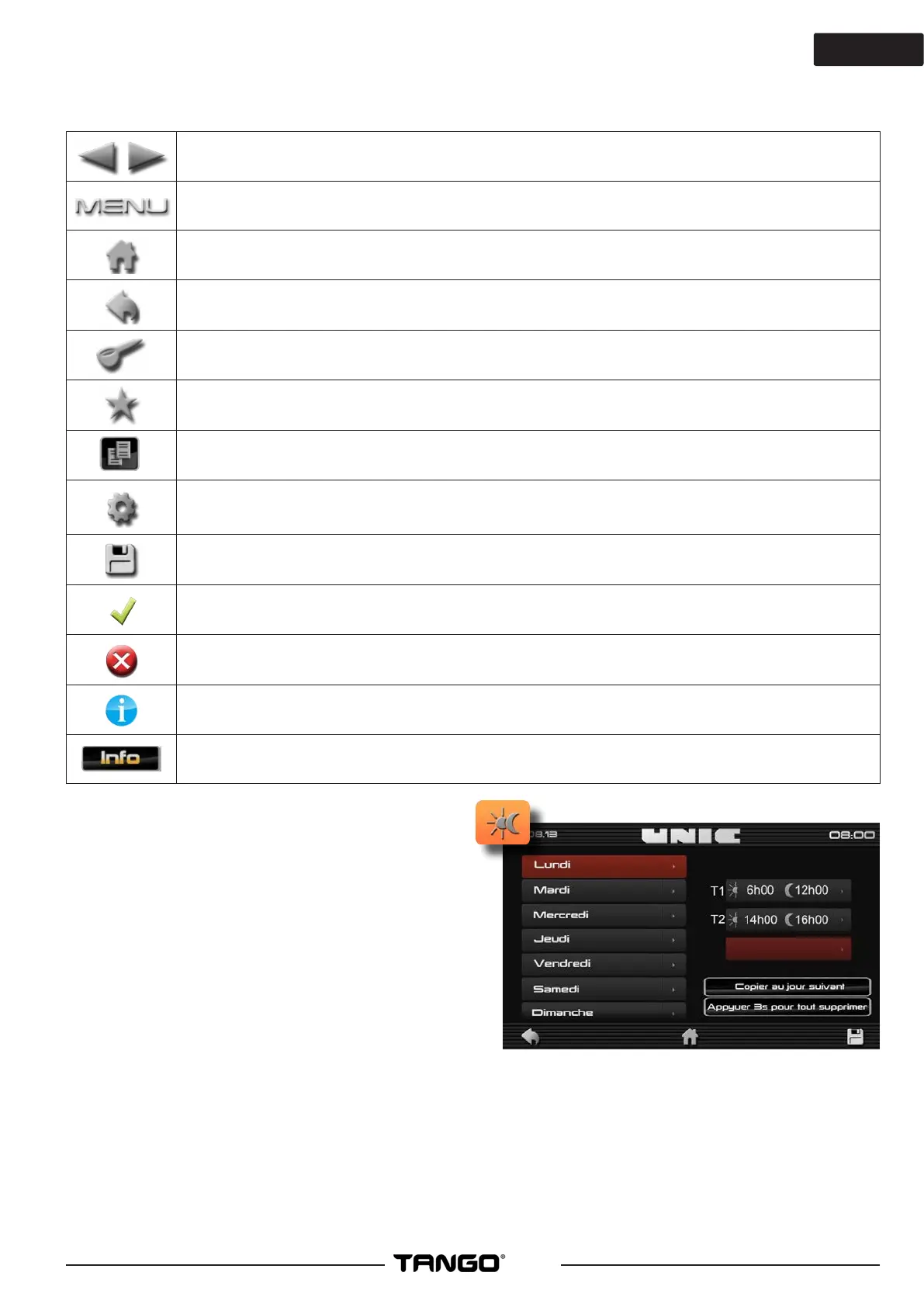
►Miscellaneous icons
Scrolls the drinks keyboards.
Icon to access the «Quick access / code» screen
Return to the main screen
Return to the previous page
Key to activate the opening of the cover of the manual trap for 10 seconds; the time required
to introduce 1 or 2 doses of ground coee and close the trap again.
Access to favourite products on the main screen
Icon for copying a le and/or data
Icon for indicating settings (e.g.: settings of a product)
Icon for saving data and/or parameters
Icon for conrming data and/or parameters
Icon for cancelling data and/or parameters
Icon for indicating the remaining time of the compulsory cleaning of the machine (before
blocking).
Icon for accessing error codes / alarms activated.
►Day/night programming
Allows you to schedule the days and times of
automatic switching to night mode (machine in
standby, reduced heating temperatures), and day
mode; may or may not be followed by an automatic
cleaning cycle.
To add a time slot:
- Press «Add a time slot»
- Schedule the desired times
- Remember to conrm
- you can then either copy this same time slot
for the next day, or add a new one.
If you want to re-schedule your time slots, press the button at the bottom right of the screen for 3s.
Remember to save your settings.
Note: When Standby is enabled the regulation of the group and the coee boiler goes to 70°C and 0.1 bar
for the steam boiler
All screens are o
All safety functions remain activated
Standby output: resumption of the normal regulation is done 10 minutes before the exit from standby.



 To Next Page