11
HX120
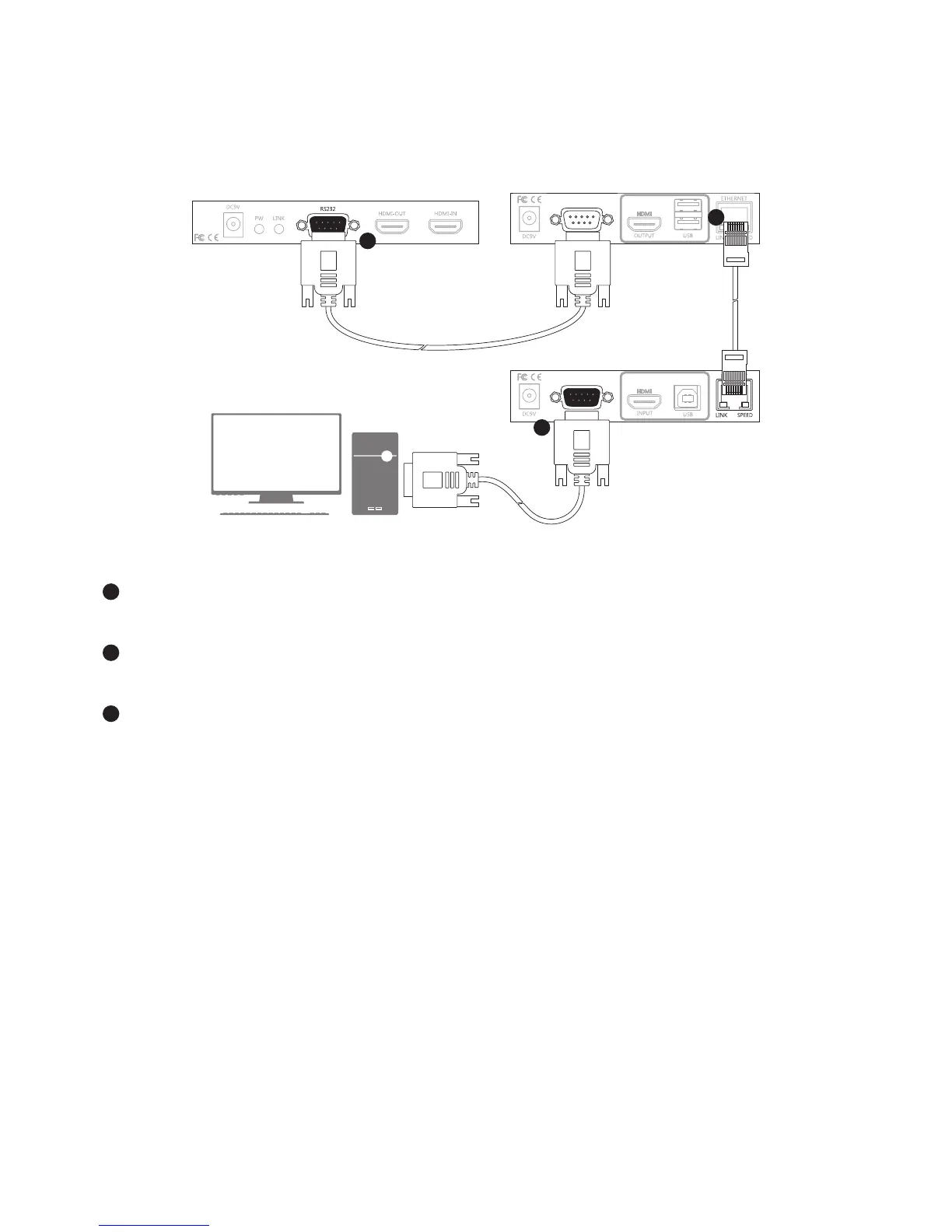
RS-232 control
The HDMI AV Matrix Extender not only extends HDMI signal but also RS-232, and allows user to control
from local PC remotely.
1
3
2
Receiver (remote unit)
RS232 device
Transmitter (loacl unit)
1
Connect the RS232 connector to a PC, and plug the other end of connector into the female connector
of Transmitter.
2
Connect the Transmitter and Receiver using Cat5 cable. Alternatively, the Receiver can be extended
another 100m using a Gigabit Ethernet hub (not included).
3
Connect the RS-232 connector to a RS-232 device, and plug the other end of connector into the male
connector of Receiver.


 To Next Page