7
HX120
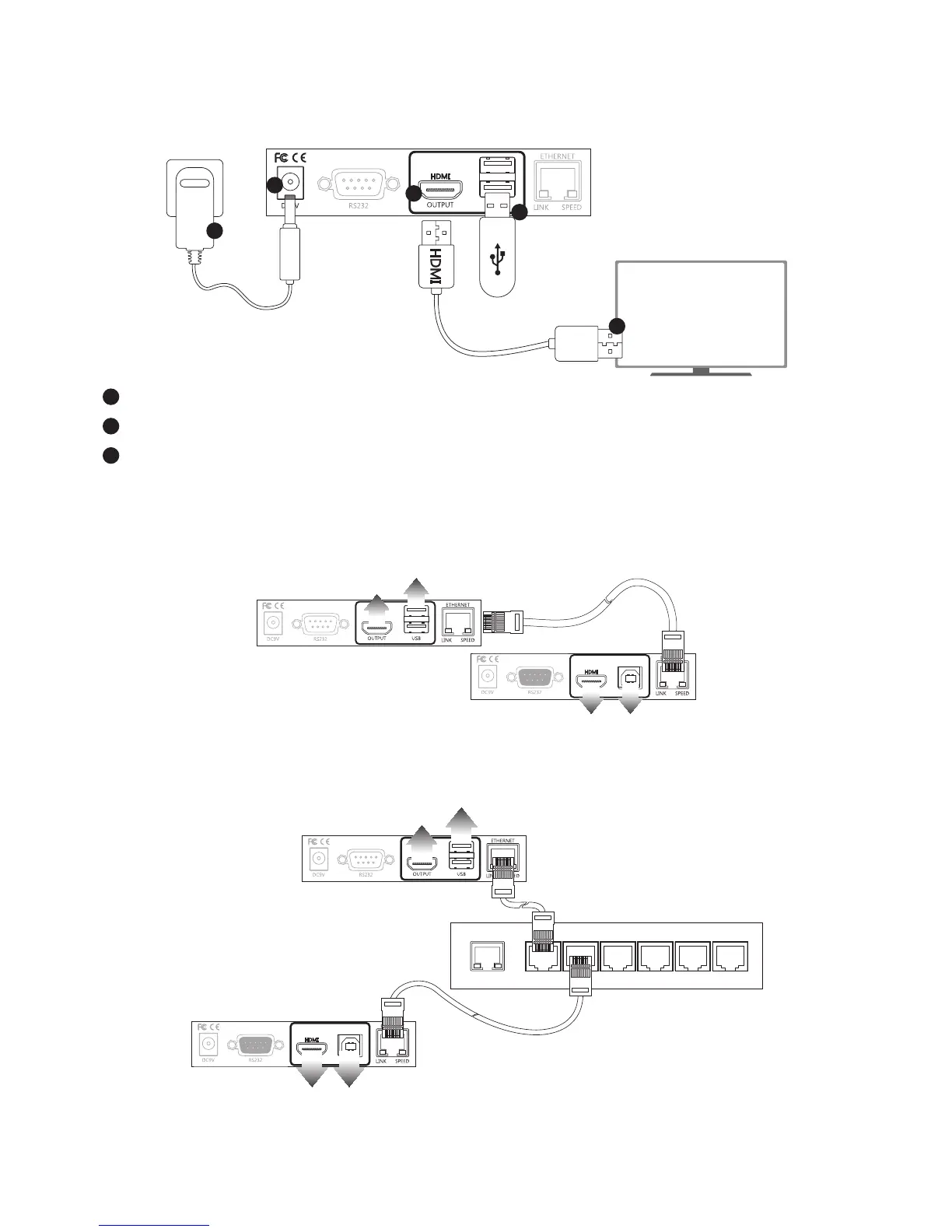
Connecting the remote unit (Receiver)
1
1
2
2
3
1
Connect the power adapter to a wall outlet.
2
Connect a display to HDMI output of Receiver using a HDMI cable.
3
Connect a USB device to USB type A connector of Receiver using a USB cable.
Connecting the local (Transmitter) and remote (Receiver) unit
Point to point
TV
USB devices
A/V source or PC
Receiver
Transmitter
■
To connect the Transmitter and Receiver, simply connect both units using CATx cable directly and the
distance can be extended up to 100m.
TV
USB devices
A/V source or PC
Receiver
Transmitter
■
Alternatively, the Receiver can be extended another 100m using a Gigabit Ethernet hub (not included).


 To Next Page