15
HX120
Web UI
■
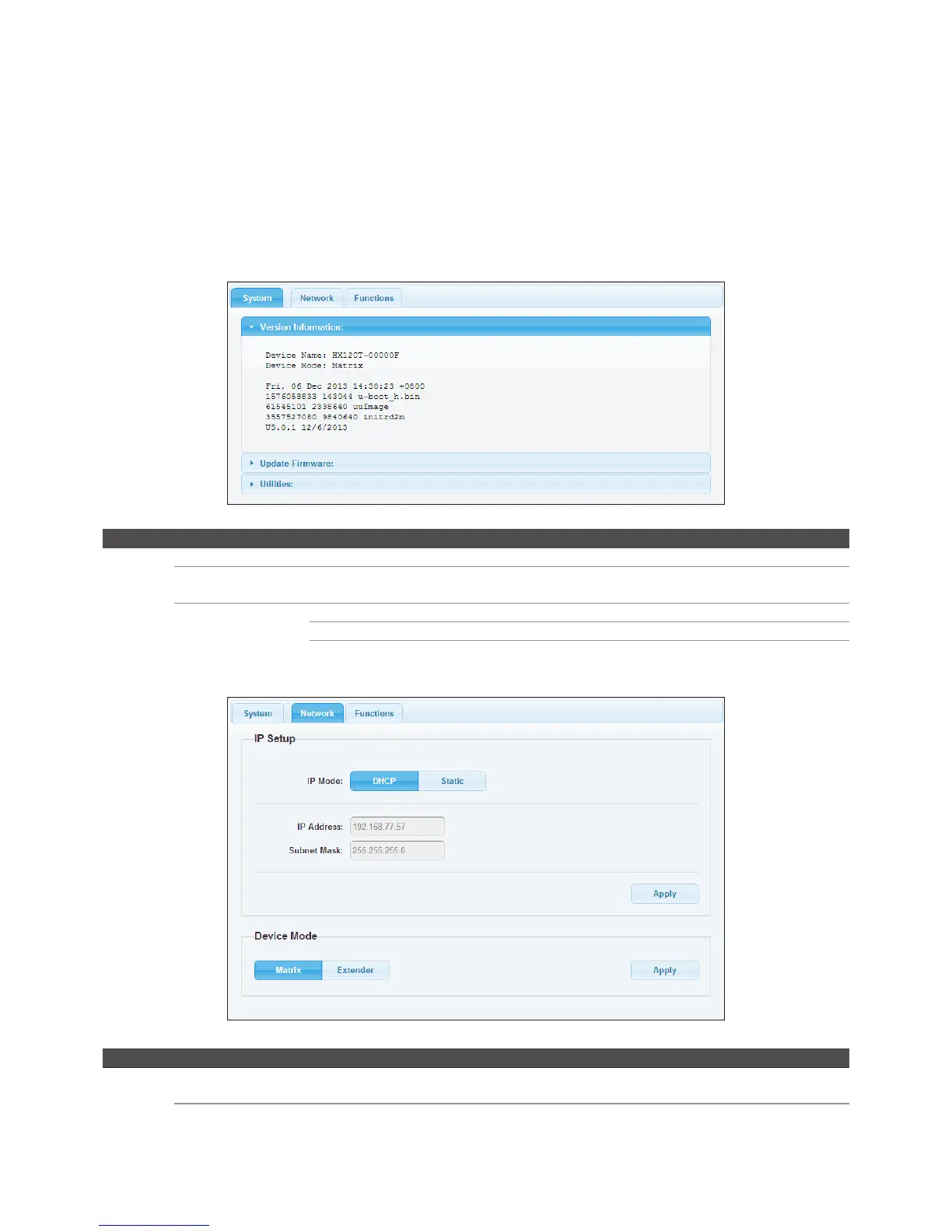
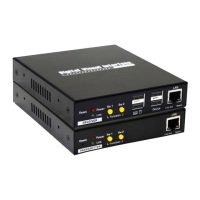
To configure each unit of HDMI AV Matrix AV Extender, open a browser and type the IP address which
you got from Bonjour Browser. The corresponding web page will appear on the screen as following.
■
Click Apply once the settings have been changed.
Transmitter
Item Sub-item Option Description
System Version information Display the information of unit.
Update Firmware Update the firmware. The browser will be reloaded after updating. Please contact the
technical support if you have problem to upload.
Utilities Factory Default Restore to the factory default settings.
Reboot Restart the system.
Reset EDID Reset EDID to factory default setting.
Item Sub-item Option Description
Network IP Setup DHCP/Static Select DHCP to obtain IP address automatically or select
Static to assign an IP manually.
Device Mode Matrix/Extender Select the operation mode depending on the connection
requirements.


 To Next Page