16
HX120
Item Sub-item Option Description
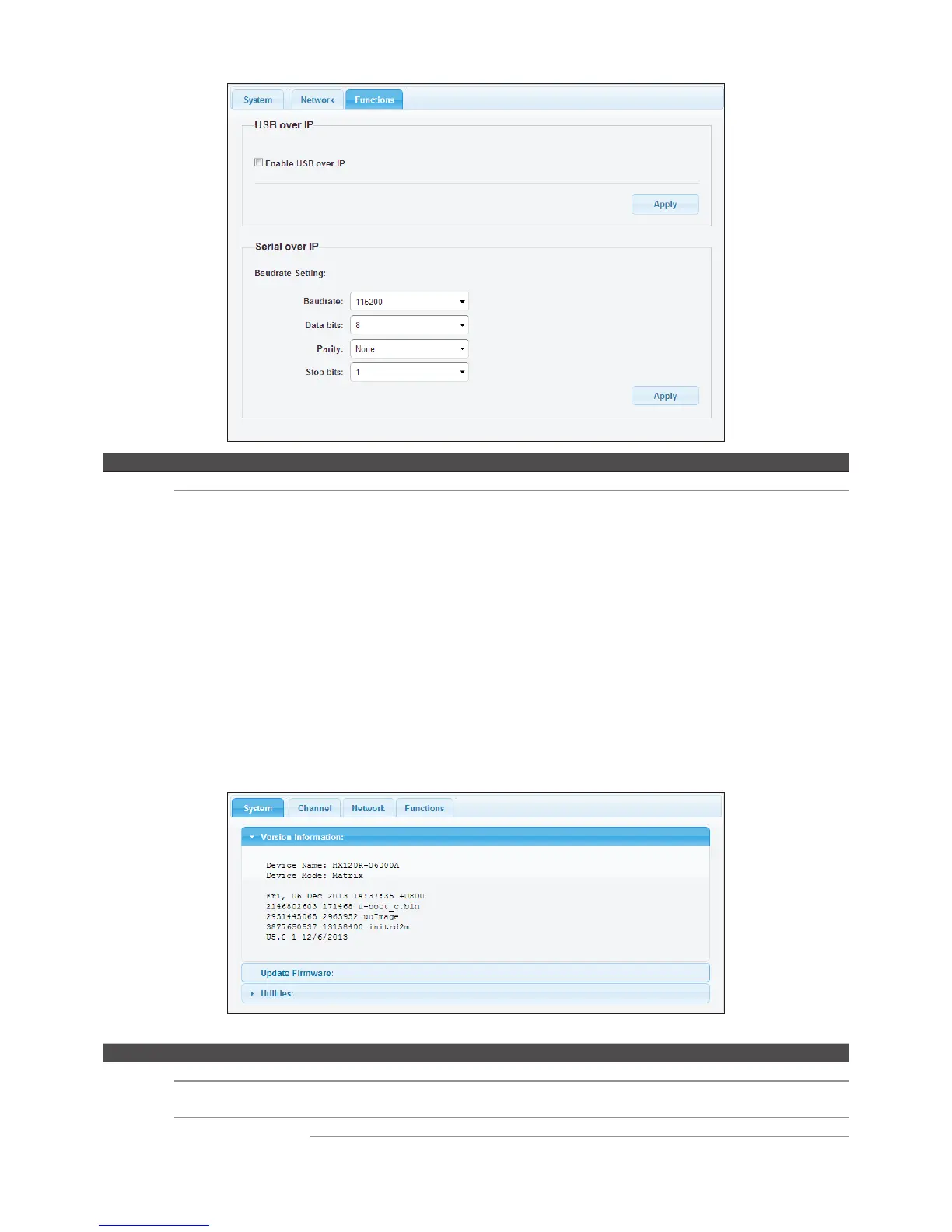
Function USB over IP Enable/disable the sharing of USB peripheral through Ethernet.
Serial over IP Baudrate setting Setup the baudrate settings.
Baudrate settings
■
This option allows setting the baudrate of Transmitter, Extender Receiver/VideoWall Receiver manually.
Make sure the settings must match with the RS-232 device you have connected. By default, the system
settings are as following:
Baudrate: 115200 Data bits: 8 Parity: None Stop bits: 1
■
Click the Apply once the baudrate settings have been changed.
Receiver
Item Sub-item Option Description
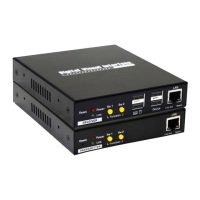
System Version information Display the information of unit.
Update Firmware Update the firmware. The browser will be reloaded after updating. Please contact the
technical support if you have problem to upload.
Utilities Factory Default Restore to the factory default settings.
Reboot Restart the system.


 To Next Page