20
HX120
Item Sub-item Option Description
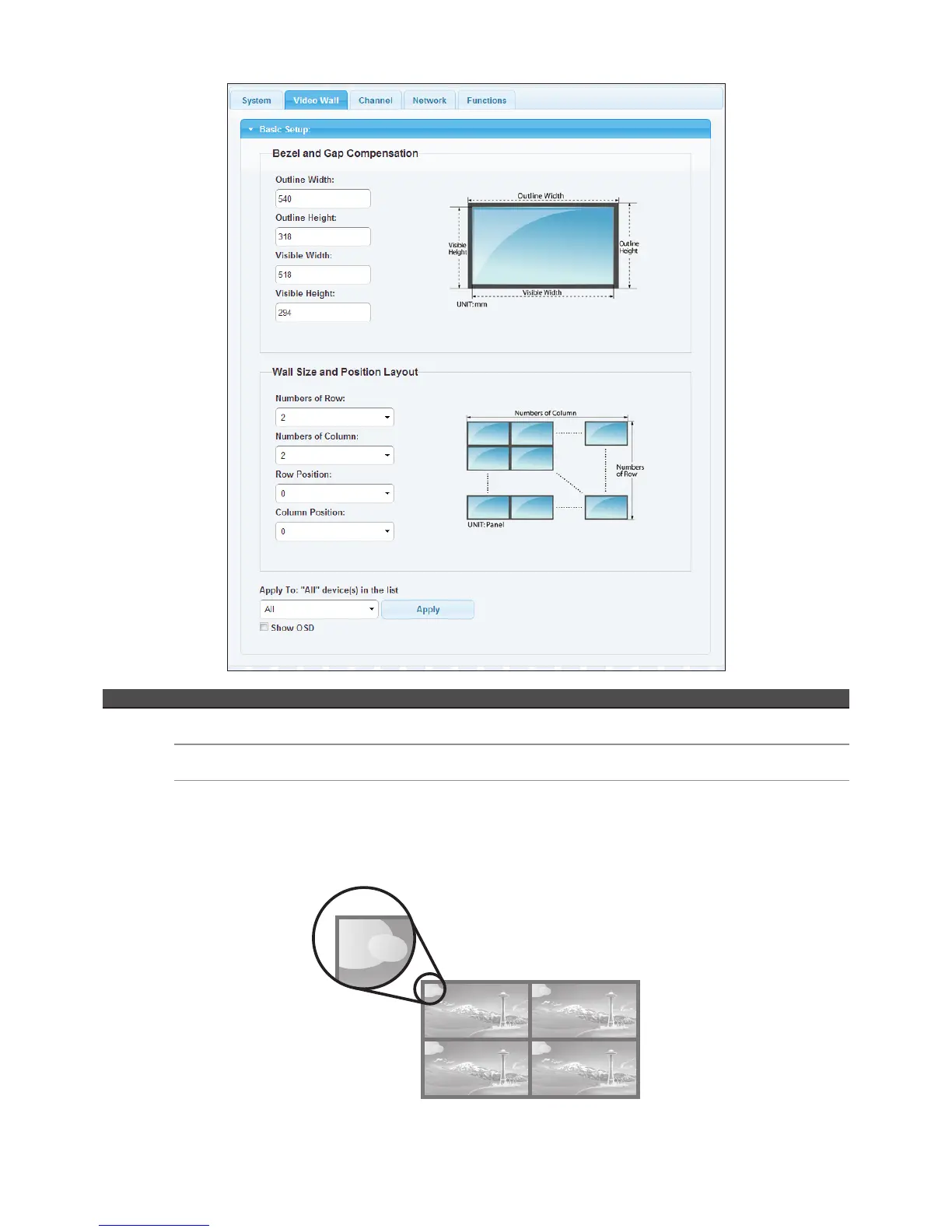
Video Wall Bezel and Gap
Compensation
Adjust the compensation for bezel between panels.
Wall Size and Position
Layout
Setup the display quantities, and specify the positions for each display.
Apply To "All"
device(s) in the list
Apply the settings above to specify or all devices in the list. The screens will refresh after
pressing Apply button.
* Show OSD: Enable/disable the display of number on each monitor. To sort the sequence of monitors, please configure the
position of row and column.
0 1
2 3


 To Next Page