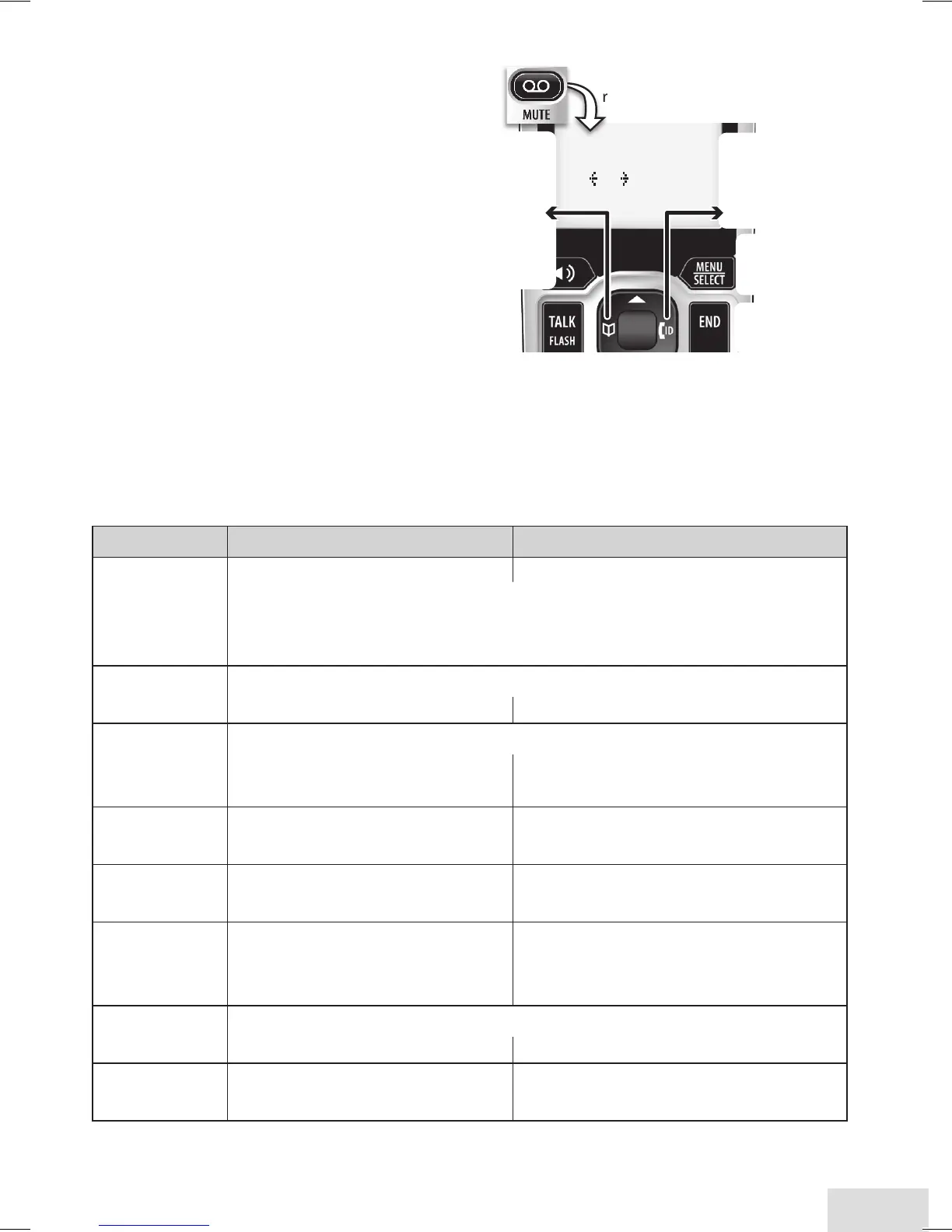
Accessing the Answering System
When the phone’s in
standby, you can access the
system from any handset:
Only 1 handset can access ♦
the system at a time.
If you do nothing for 30 ♦
seconds, the phone returns
to standby.
During remote access, the ♦
phone beeps so you know
it's waiting for the next
command.
You can press the number key shown next to each command instead of ♦
scrolling through the screens.
Getting Your Messages
To... From the base From a handset
play new
messages
Press
Play/SToP.
Press
MESSagE/MuTE
.
The system announces the number of new & old messages,
then plays each new message (followed by the day and time)
in the order it was received.
restart this
message
Wait at least 5 seconds after the message starts playing,
press
rEV.
select
1:Repeat
.
replay an
earlier
message
Within 2 seconds after a message starts playing,
press
rEV.
select
1:Repeat
.
skip a
message
Press
fwd
. Select
3:Skip
.
delete a
message
While a message is playing,
press
dElETE
.
While a message is playing,
select
4:Delete
.
delete all
messages
With the phone in standby,
press
dElETE
; press
dElETE
again to confirm.
Not available.
play old
messages
After the system plays all new messages,
press
Play/SToP
again. select
2:Play
.
stop
playback
Press
Play/SToP
. Select
5:Stop
.













 To Next Page