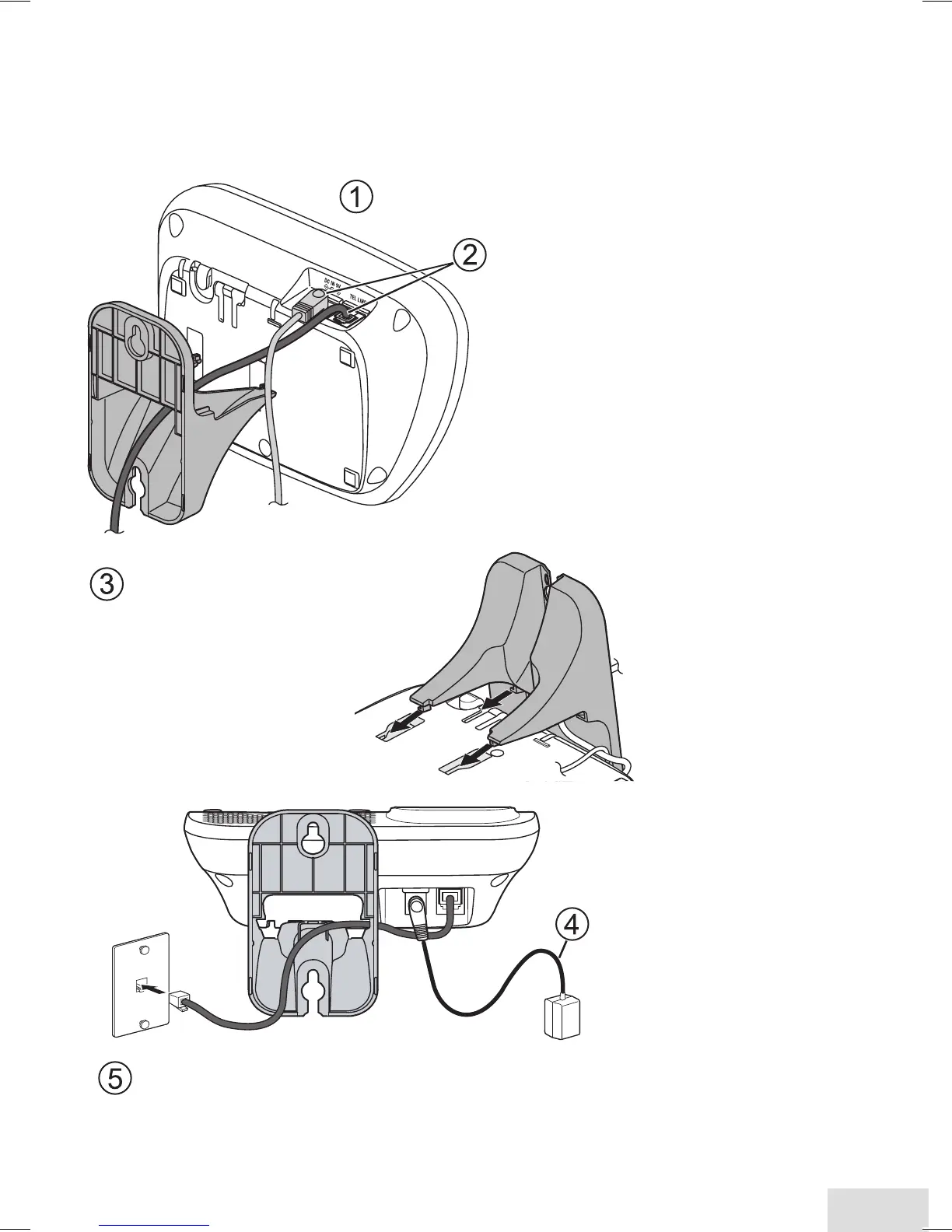
Wall Mounting the Base
This phone can be mounted on any standard telephone wall plate using
an optional wall-mount bracket. You can purchase a wall-mount bracket
by the online shop at www.uniden.com for Australian models and www.
uniden.co.nz for New Zealand models.
Plug the telephone
cord into the wall jack.
Tuck the excess cord
into the open space in
the bracket.
Connect the AC
adapter and the
telephone cords
as shown.
Route the telephone cord through the
hole of the wall-mount bracket.
Line up the four tabs on the wall-mount
bracket (two at the top and two at the
center) with the four notches on the
bottom of the base.
Slide the bracket into place.
(To AC outlet)
Wall plate
Let the AC adapter cord
hang below the base.
DECT3035 OM.indd 23 22/11/10 9:09:20 AM













 To Next Page