11
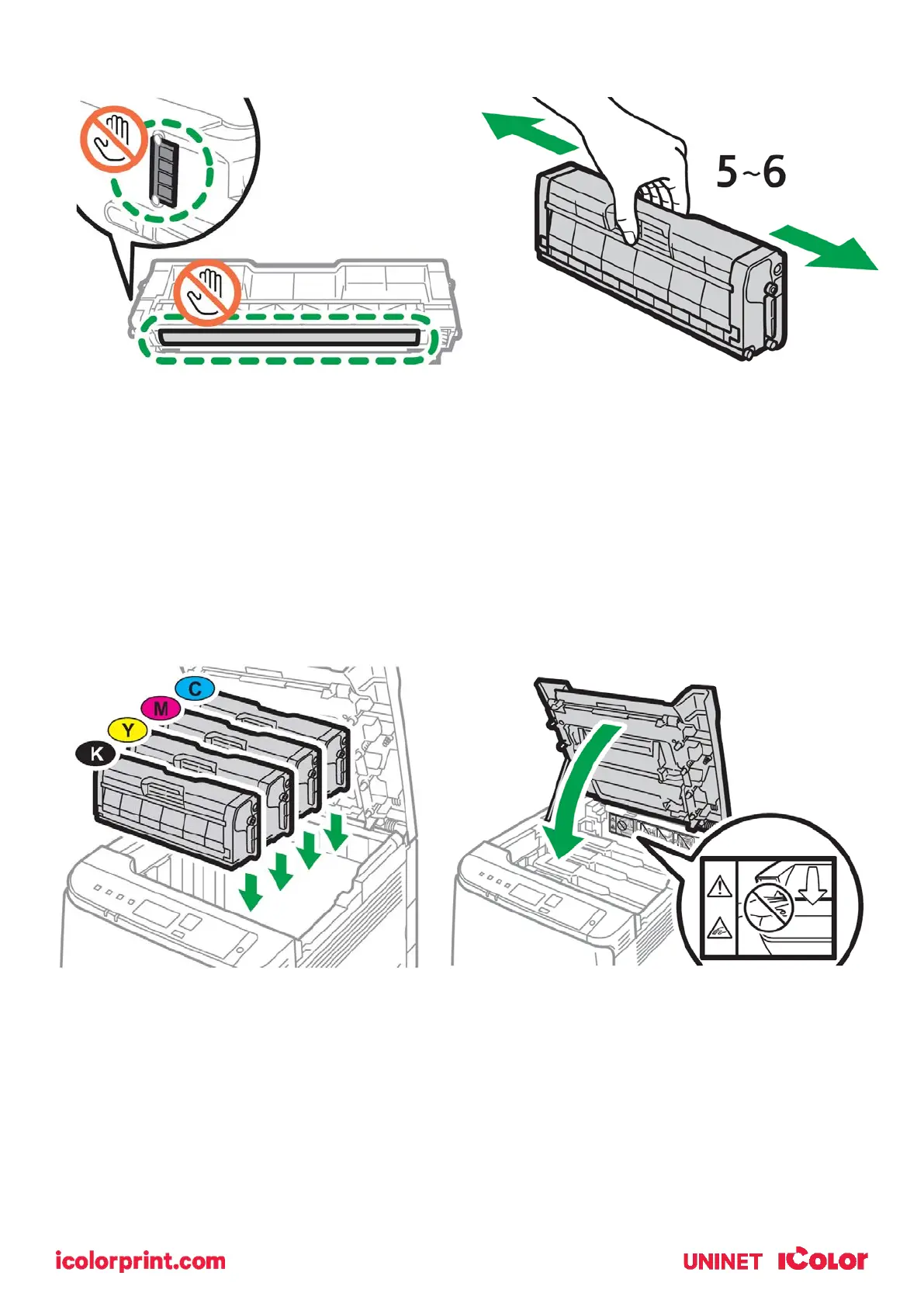
5. Be careful not to touch the drum or the contacts on the side of the cartridge.
• Remove each cartridge and gently shake back and forth 5 or 6 times to loosen the toner
that may be settled in the cartridge due to shipping.
6. Reinstall the cartridges in the desired configuration (in the above representation, white or
black can go into the first slot) and close the lid.
• Use white for transfer printing and black for normal CMYK printing.
• The black cartridge is packed separately in the box for your convenience.



 To Next Page