12
Loading Paper
Incompatible transfer media should not be used. The iColor ProRIP print mode dropdown
contains a list of all certified media. Follow specific transfer media instructions for best
results.
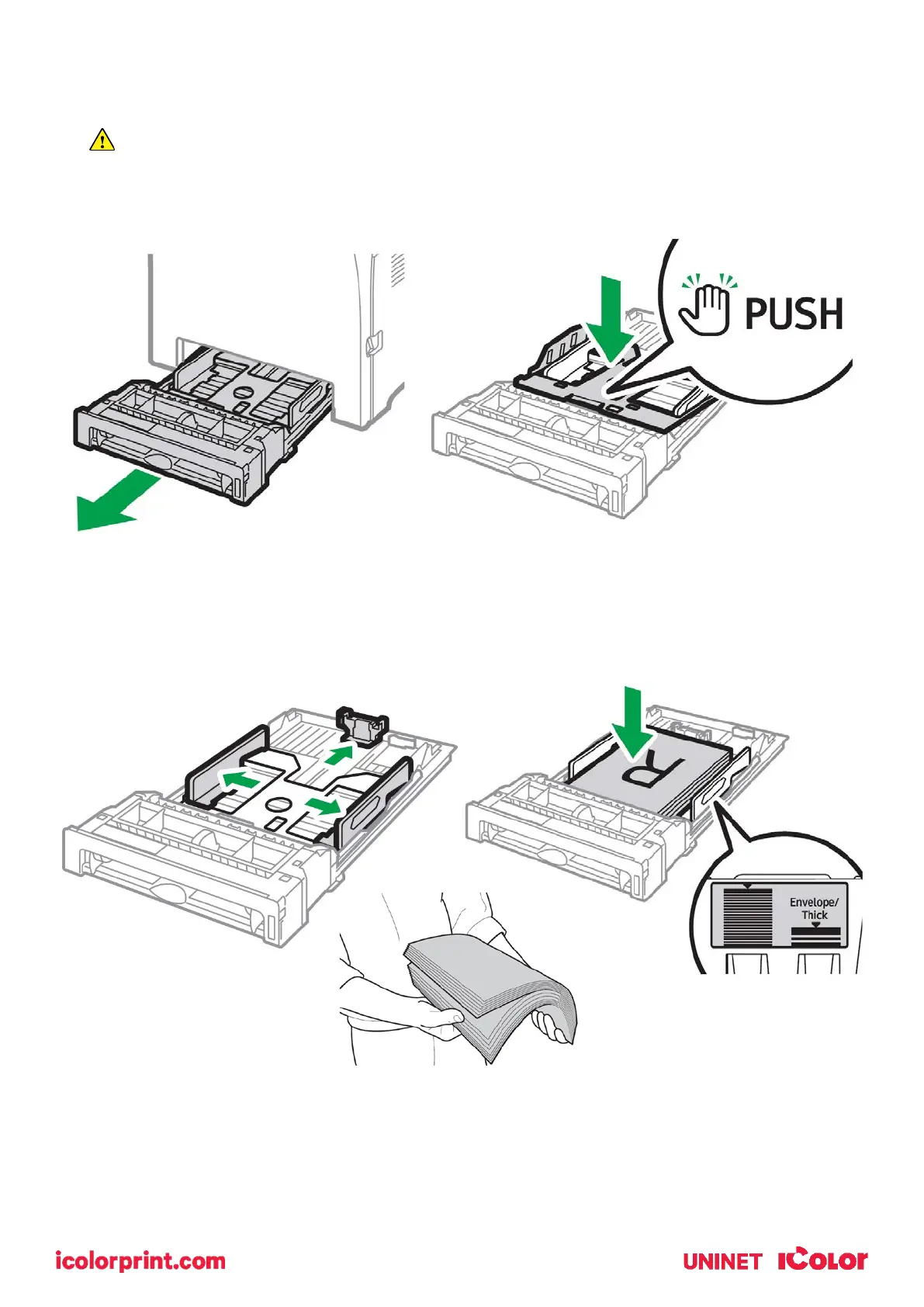
• Pull out the paper cassette and push down the metal base.
• This tray is referred to as ‘Tray 1’.
• Squeeze the clips on the paper guides and slide them to match paper size. Do not move
the paper guides forcefully. Doing so may damage the tray.
• Media is loaded with the print side facing up. Ensure the paper stack does not exceed the
upper limit mark inside the paper tray. Excess stacking can cause paper jams.
• Fan paper or media before loading.



 To Next Page