44
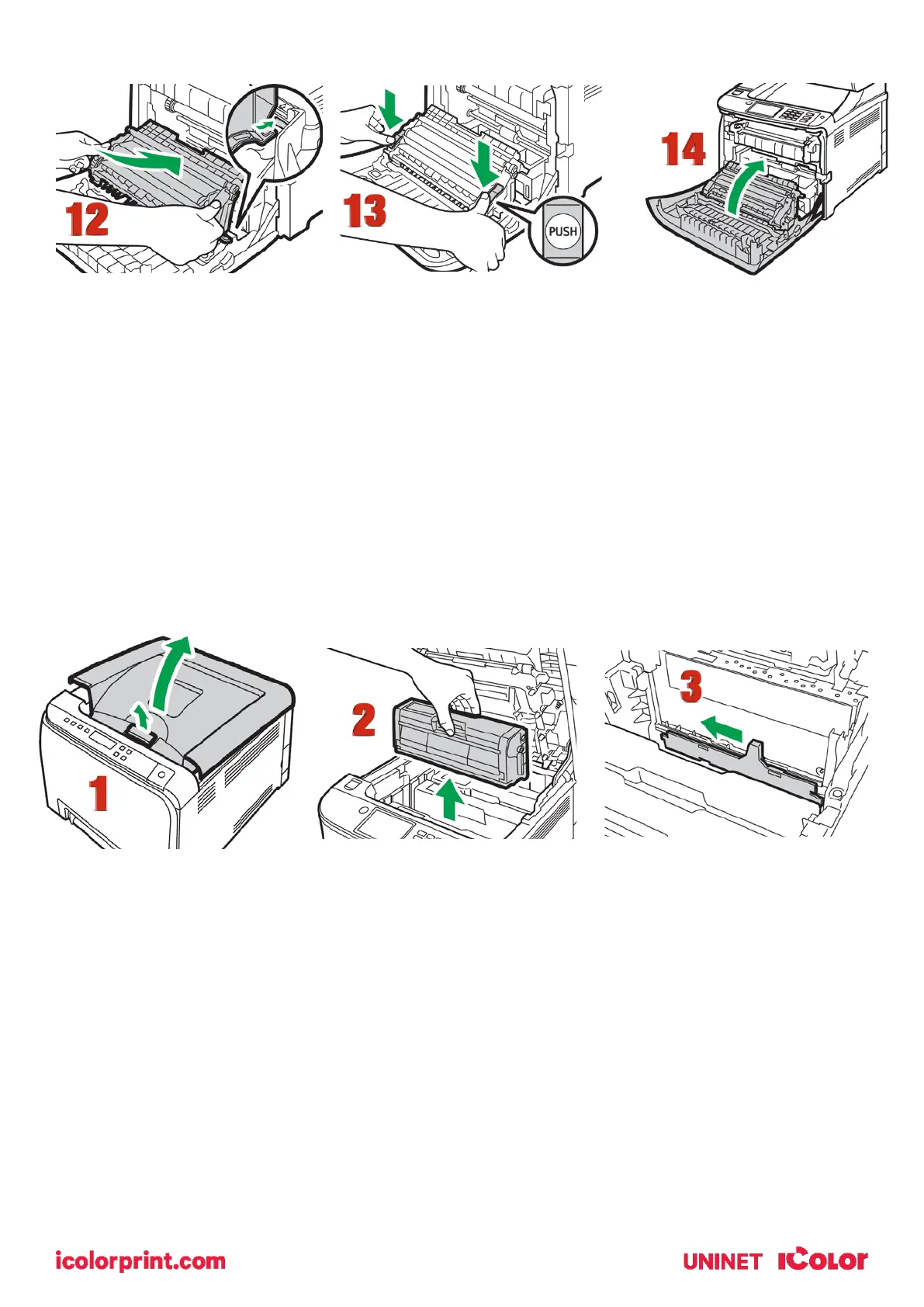
12. Place the transfer unit on the front cover. Slide the transfer unit along the guide rails into the machine.
13. When it stops, push on the PUSH mark until it clicks.
14. Using both hands, carefully push up the front cover until it closes.
15. When closing the front cover, push the upper area of the cover firmly.
Cleaning the Toner Density Sensor and LD Unit Dust Shield
Clean the toner density sensor when the following message appears on the control panel.
"Density Sensor Require Cleaning"
1. Pull up the lever on the top cover, and then carefully raise the top cover.
2. Remove the rearmost print cartridge.
3. Slide the toner density sensor lever once to the left.



 To Next Page