49
Replacing the Fusing Unit
Make sure that the fusing unit is cool before you touch it. The fusing unit can be very hot.
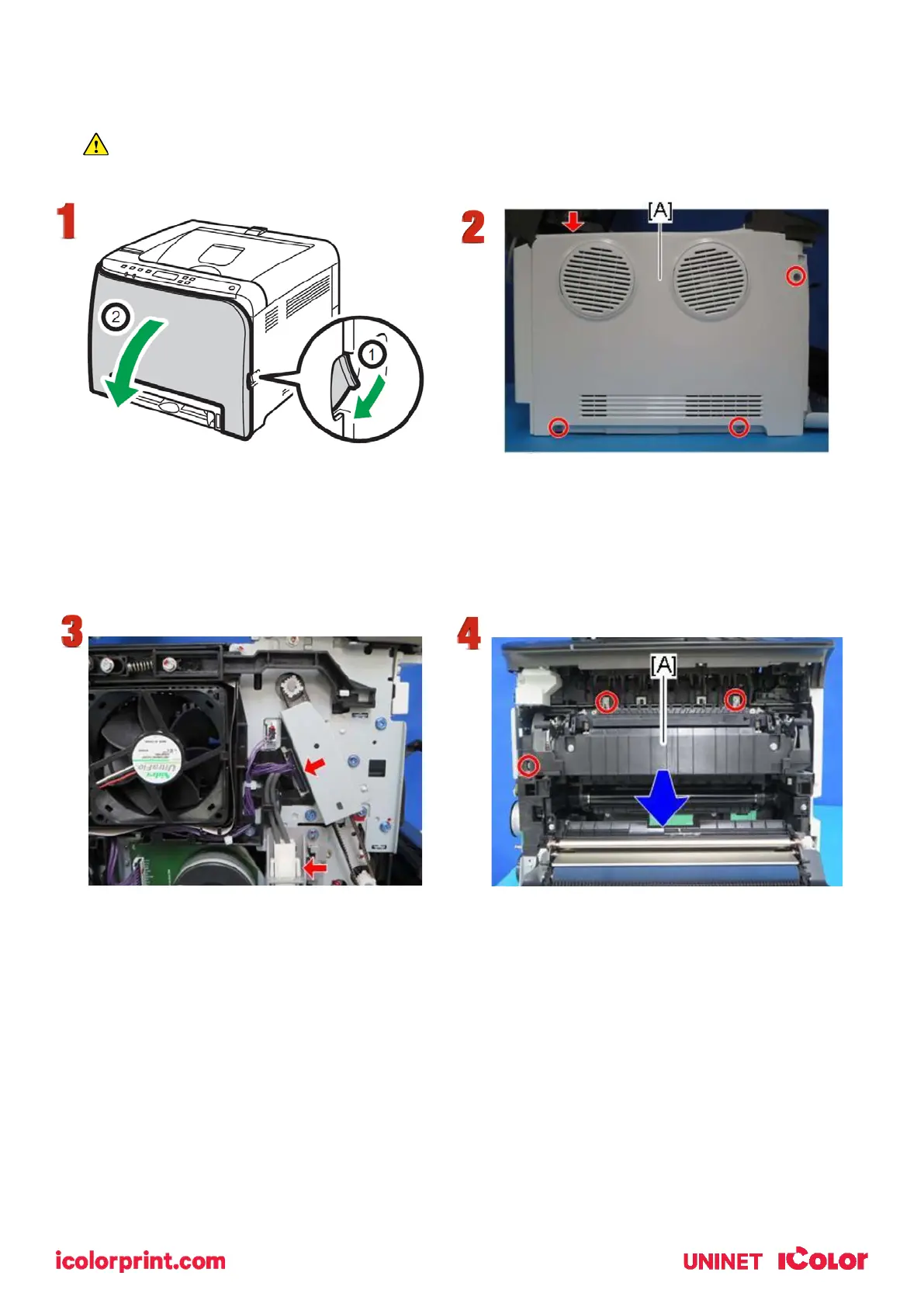
1. Open the front cover.
2. Release the top hook, remove 3 screws and remove the left cover [A].
3. Carefully disconnect the two connectors.
4. Remove 3 screws from around the fusing unit and carefully pull forward with both hands.
5. To install a new fusing unit, follow the above steps in reverse order.



 To Next Page