48
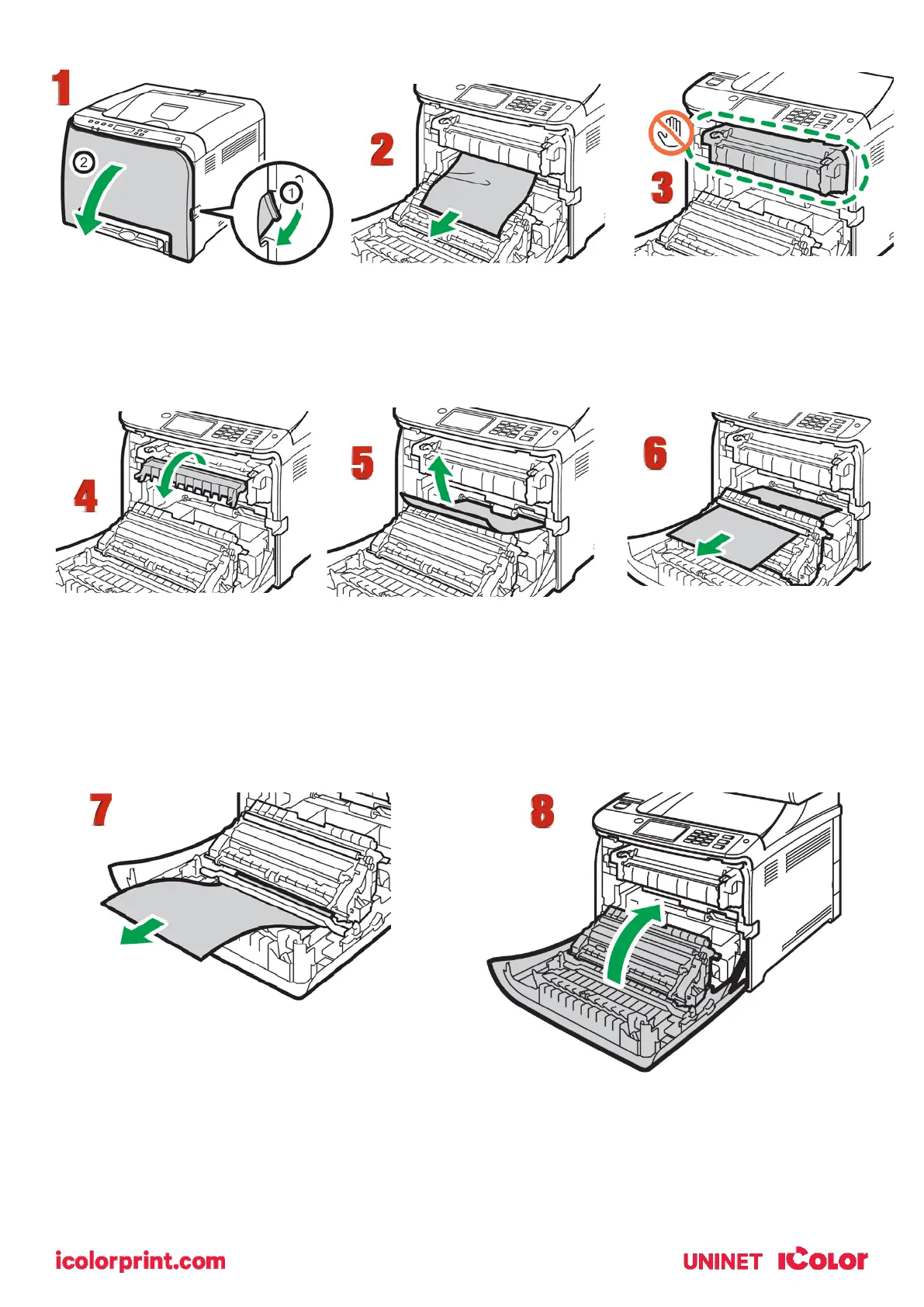
1. Pull the front cover open lever and then carefully lower the front cover.
2. Pull the paper downward to remove it. Do not pull it upward.
3. Do not touch the fusing unit.
4. If you cannot find the jammed paper, check for it by pulling down the guide.
5. If paper jams inside a tray - Pull out the jammed paper carefully. Do not pull out the paper tray or touch
the fusing unit.
6. If paper has jammed inside the transfer unit - Hold both sides of the paper, pull the paper carefully
forward.
7. Then pull out
8. Once the jam is cleared, using both hands, carefully push up the front cover until it closes. When closing
the front cover, push the upper area of the cover firmly. After closing the cover, check that the error is
cleared.



 To Next Page