16
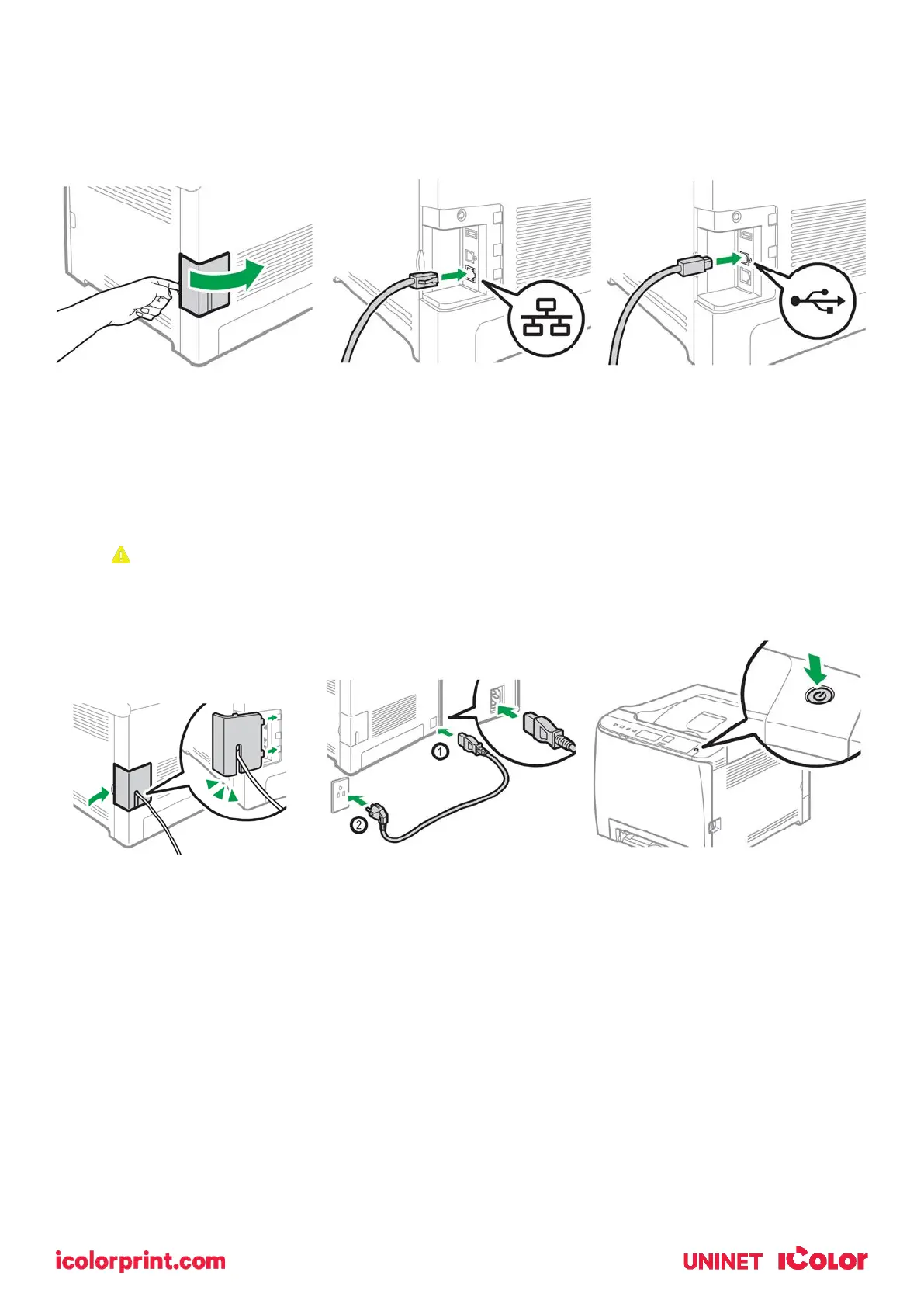
Cable Connections
• Open the side panel to reveal the communication ports.
• Insert either the USB or Network cable, depending on how you wish the RIP to
communicate with the printer.
• NEVER use both ports at the same time.
If you are connecting via Wi-Fi, it is not necessary to connect either the USB or
Network cable.
• Feed the cable through the cover and reinstall
• Insert power cord and power on the unit
Wireless Setup
Easy Setup Using the Wi-Fi Setup Wizard
• From the control panel of this printer, you can also configure the wireless LAN settings for the
machine.
• A router (access point) is necessary to set up a wireless connection.



 To Next Page