15
• To use the bypass tray, load paper with the print side down and in the short-edge feed
direction.
You cannot load paper into the bypass tray while the machine is in Energy Saver mode.
• Adjust the paper guides to the paper size. Support the paper with both hands, and
insert it carefully until it stops.
• The printer the tray will ‘engage’ the paper by pulling it in about ½ inch.
• Curled paper may jam. Straighten curled paper before loading.
• Duplex printing is not possible.
• Tray 1 is unavailable if paper is loaded in the bypass tray.
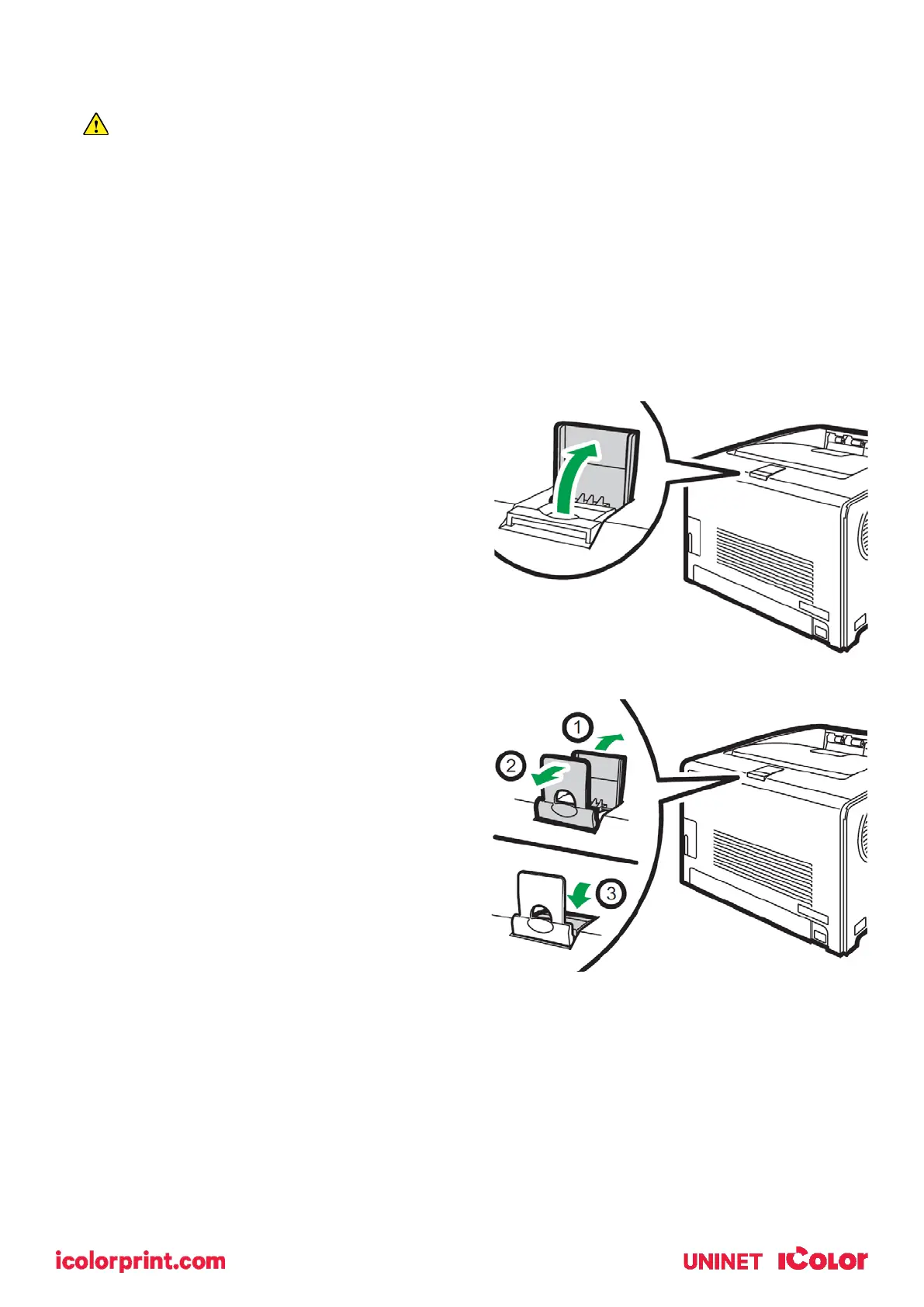
• Pull up the retainer as shown below to
prevent A4- or Letter-size prints from
falling off.
• Pull up the retainer as shown below to
prevent Legal-size prints from falling
off.



 To Next Page