20
Wi-Fi Direct Setup
Use this method to connect your PC directly to the printer wirelessly, without the use of an existing
network. The printer will establish its own internal IP address independent of any network that may
already exist.
1. Disconnect the printer from any existing networks and/or remove the network cable from the back of
the machine
2. Disconnect your PC from any existing networks and/or remove the network cable from the network.
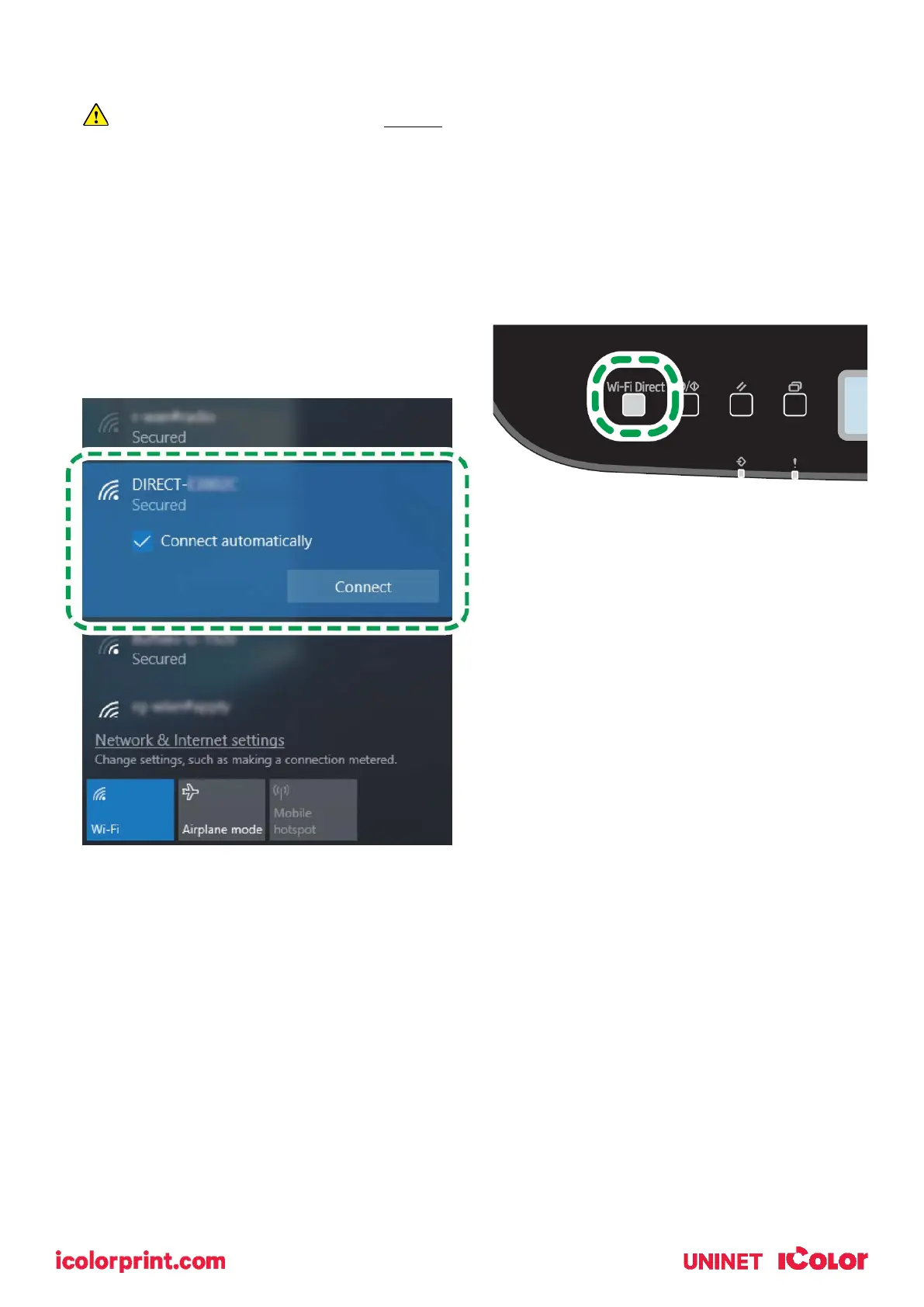
3. Press the [Wi-Fi Direct] key.
4. On your PC, browse for available networks and
select the SSID of the printer identifying itself as
(DIRECT-XXXXXX), and then click [Connect].
5. Enter the encryption key ‘admin123’ to
connect.
6. Confirm the status of the selected SSID is
‘Connected’.



 To Next Page