41
Messages on the screen:
Replace the indicated print cartridge when any of the following messages appear on the screen:
‘Replace Toner: (X)’ (X indicates the toner color)
Prepare the indicated print cartridge when any of the following messages appear on the screen:
‘Replace Required Soon: (X)’ (X indicates the toner color)
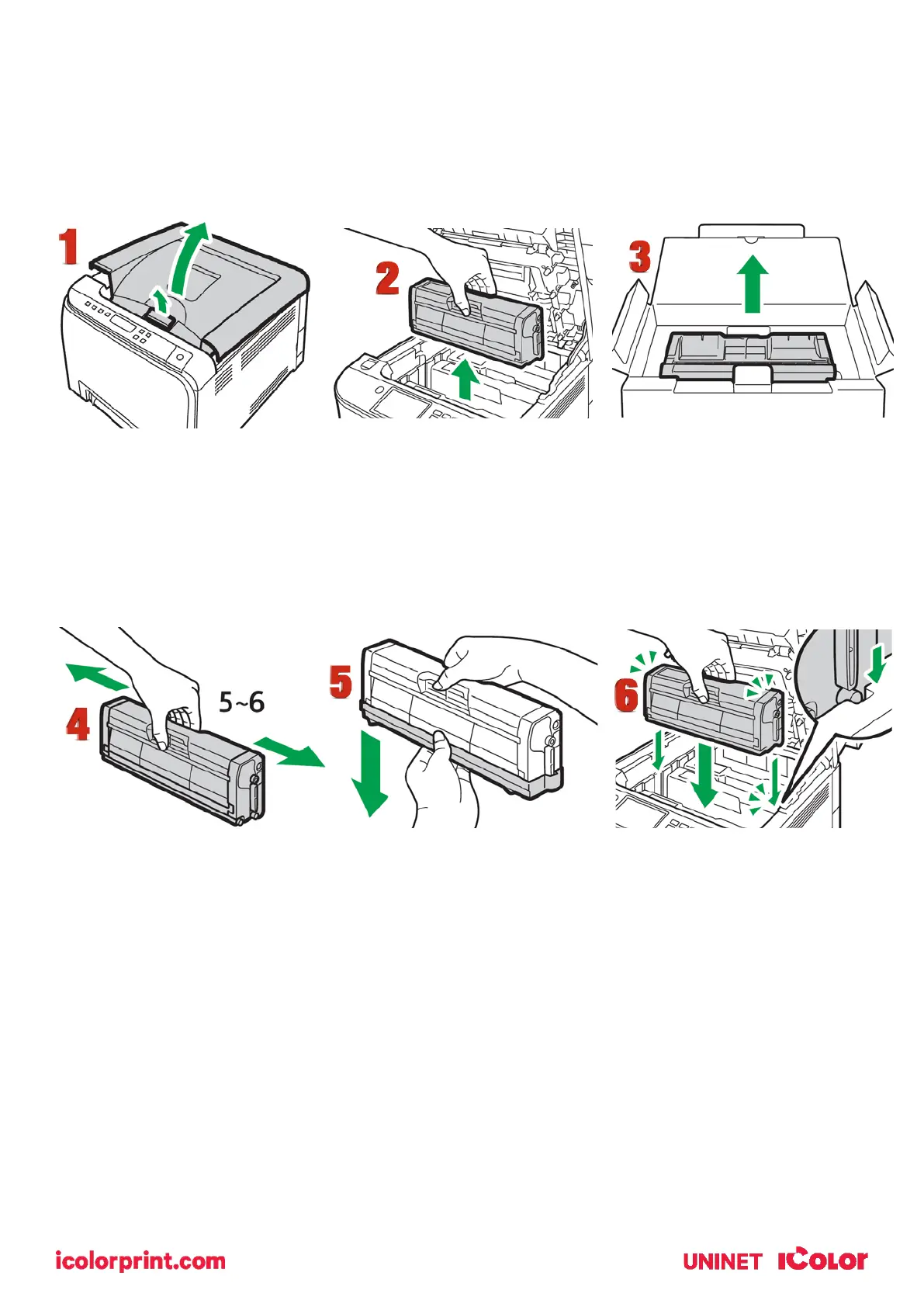
1. Pull up the lever on the top cover, and then carefully raise the top cover.
2. Carefully lift out the print cartridge vertically, holding its center. From the rear, the print cartridges are
installed in the order of cyan (C), magenta (M), yellow (Y), and white (W) or black (K).
3. Take the new print cartridge out of the box, and then take it out of the plastic bag.
4. Hold the print cartridge and shake it from side to side five or six times. Even distribution of toner within
the bottle improves print quality.
5. Remove the protective cover from the print cartridge.
6. Check the toner color and corresponding location, and then carefully insert the print cartridge vertically.



 To Next Page