AC-7000 User guide 35
㈜Union Community / Hyundai Topics building 5
th
floor, 44-3, Bangi 2-dong,
Songpa-gu, Seoul, Korea (138-050)
Tel: 02-6488-3000, Fax: 02-6488-3099, E-Mail:sales@unioncomm.co.kr
http://www.unioncomm.co.kr
3.3.1.9. Save
Click the [Save] button to save when all the registration procedure is finished. At this
point, if you click [Cancel] or [BACK] button to return, the user is not saved.
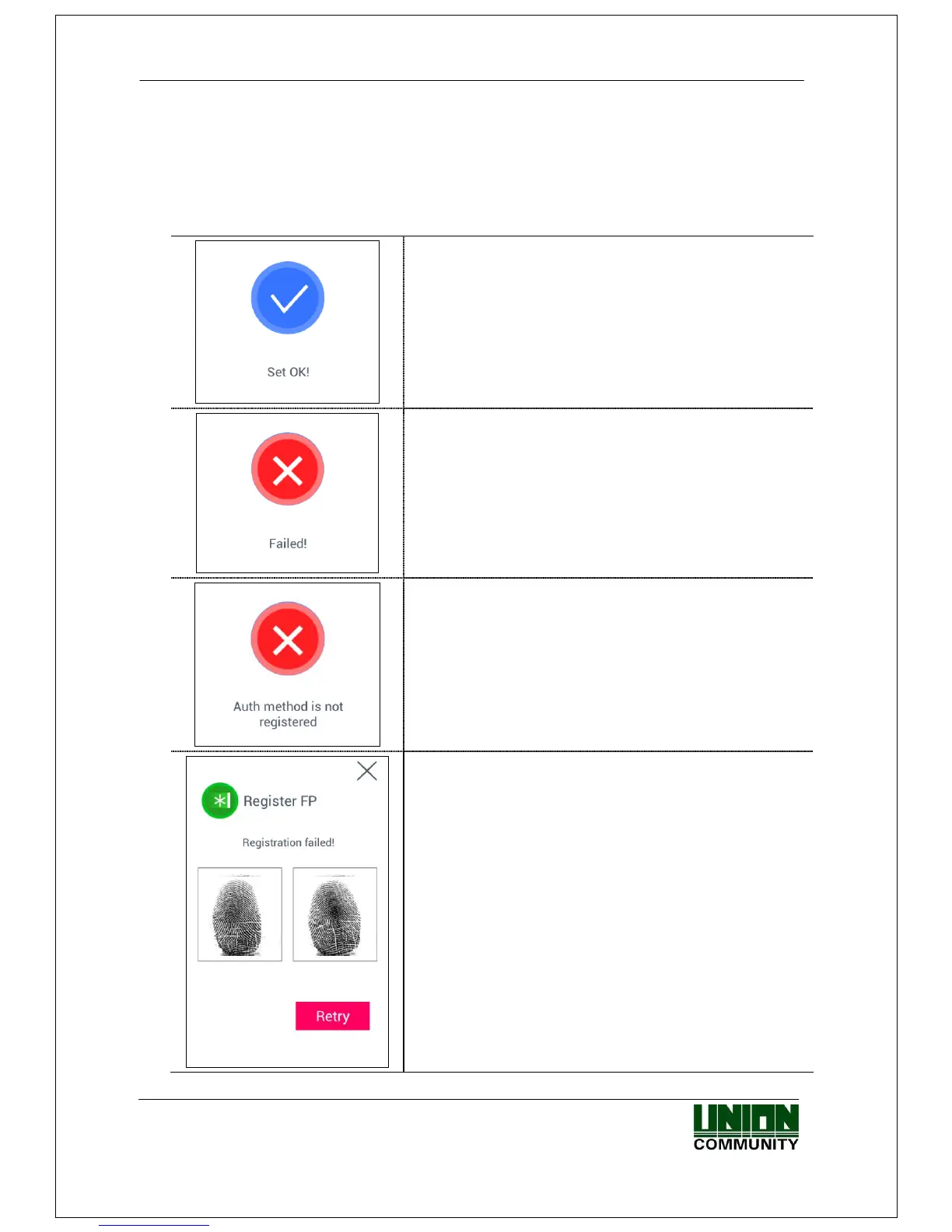
Next is the LCD messages which can appear at the registration procedure.
When you clicked the [Save] button,
the case registration was successful
When you clicked the [Save] button,
the case registration was failed
: The case none of authorization methods such as
fingerprint, face, card, and password is registered.
When you clicked the [Auth method] button,
the case none of the authorization method was
registered.
In [Register FP],
the case you input the different fingerprint at the
fingerprint registration.



 To Next Page
 Loading...


