AC-7000 User guide 60
㈜Union Community / Hyundai Topics building 5
th
floor, 44-3, Bangi 2-dong,
Songpa-gu, Seoul, Korea (138-050)
Tel: 02-6488-3000, Fax: 02-6488-3099, E-Mail:sales@unioncomm.co.kr
http://www.unioncomm.co.kr
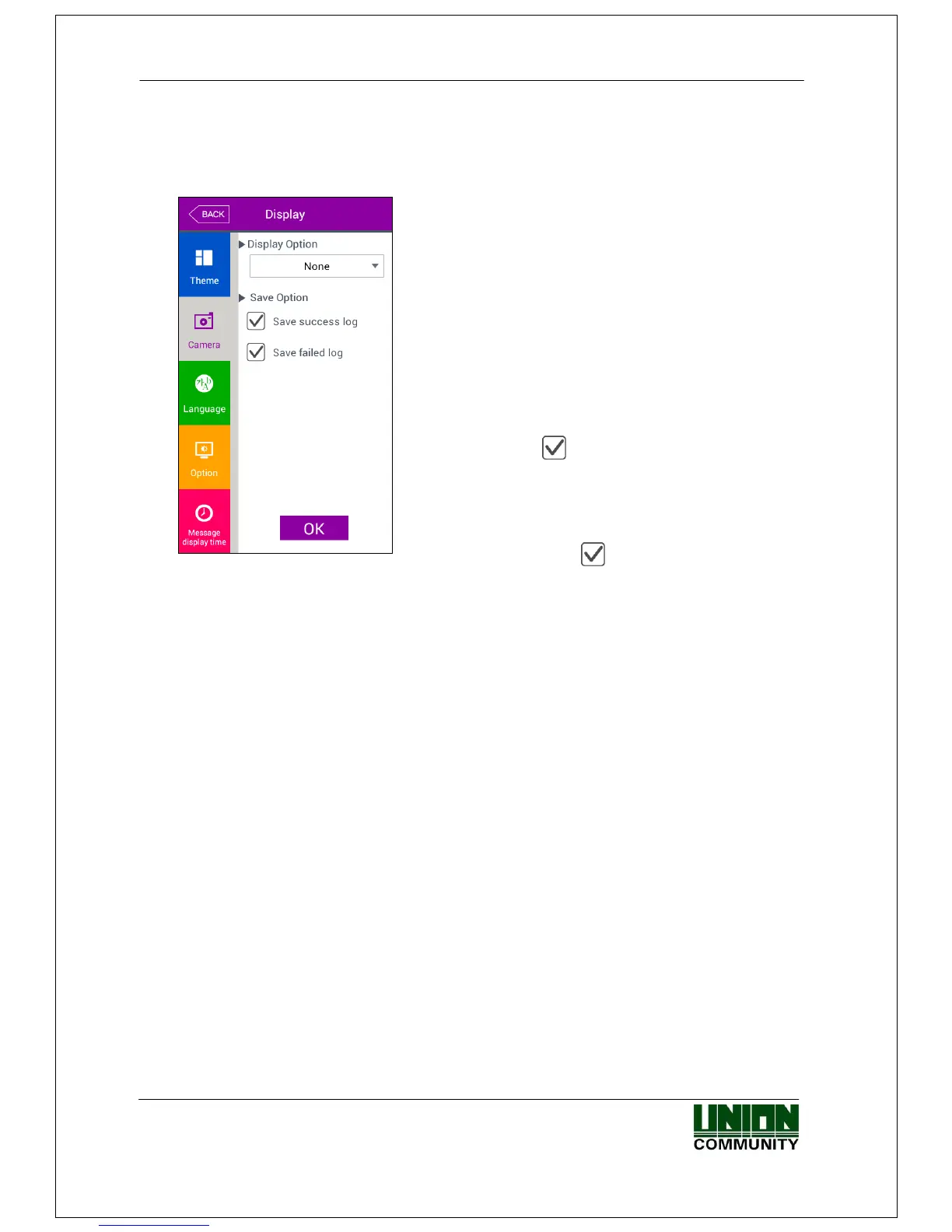
3.8.2. Camera
If you select the [Display]->[Camera] in the main menu, the following window
appears.
▶ Basic setting : Same with the window at the left
side.
▶Display option
Choose the image displayed in the message window
of authorization success
- None
- Registered user’s picture.
▶Save success log
If it is checked ( ), the camera image is captured
as image log when the authorization was
successful.
▶Save failed log
When it is checked( ), the camera image is
captured as image log when the authorization was
failed.
Click [OK] button to apply the set value, and click [BACK] button to cancel and return.
3.8.3. Language
If you select the [Display]->[Language] in the main menu, the following window
appears.



 To Next Page
 Loading...


