MSC-400 Reference Manual
Rev 4
42
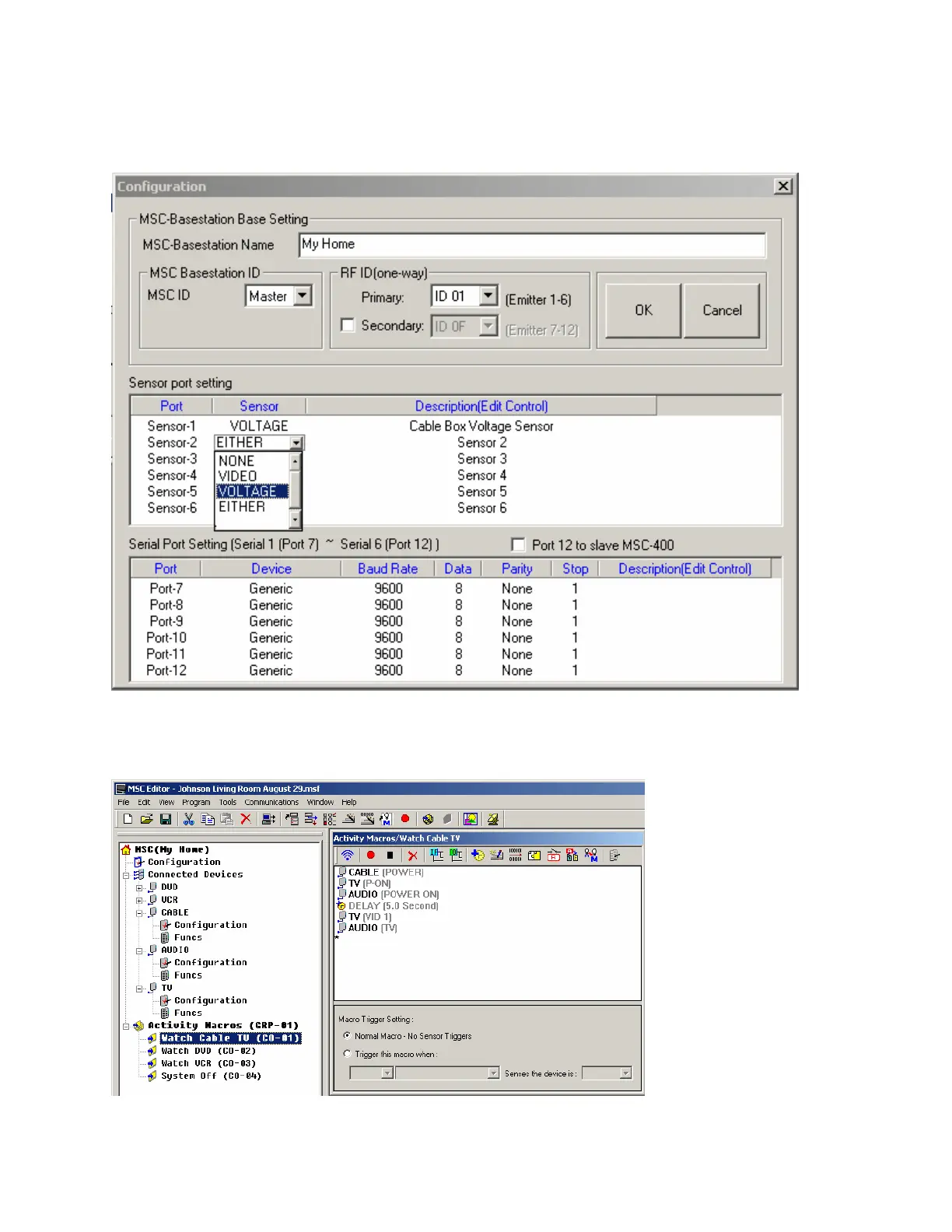
2. Name and con the sensors. Return to the Program Menu and go to Step #3, Configuration. Beside the
sensor numbers you use, note the kind of sensor (via the pull down list box shown) and write in a good
description to help you while programming macros by double clicking in the Description field. Click on
OK to close the Configuration window.
3. Double click the Watch Cable TV macro in Tree View. Once it is selected, the Macro Window should
be visible. If it is not, go to the View menu and select Simulate View mode, then double click on the
Watch Cable TV macro again in Tree View.



 To Next Page