MSC-400 Reference Manual
Rev 4
43
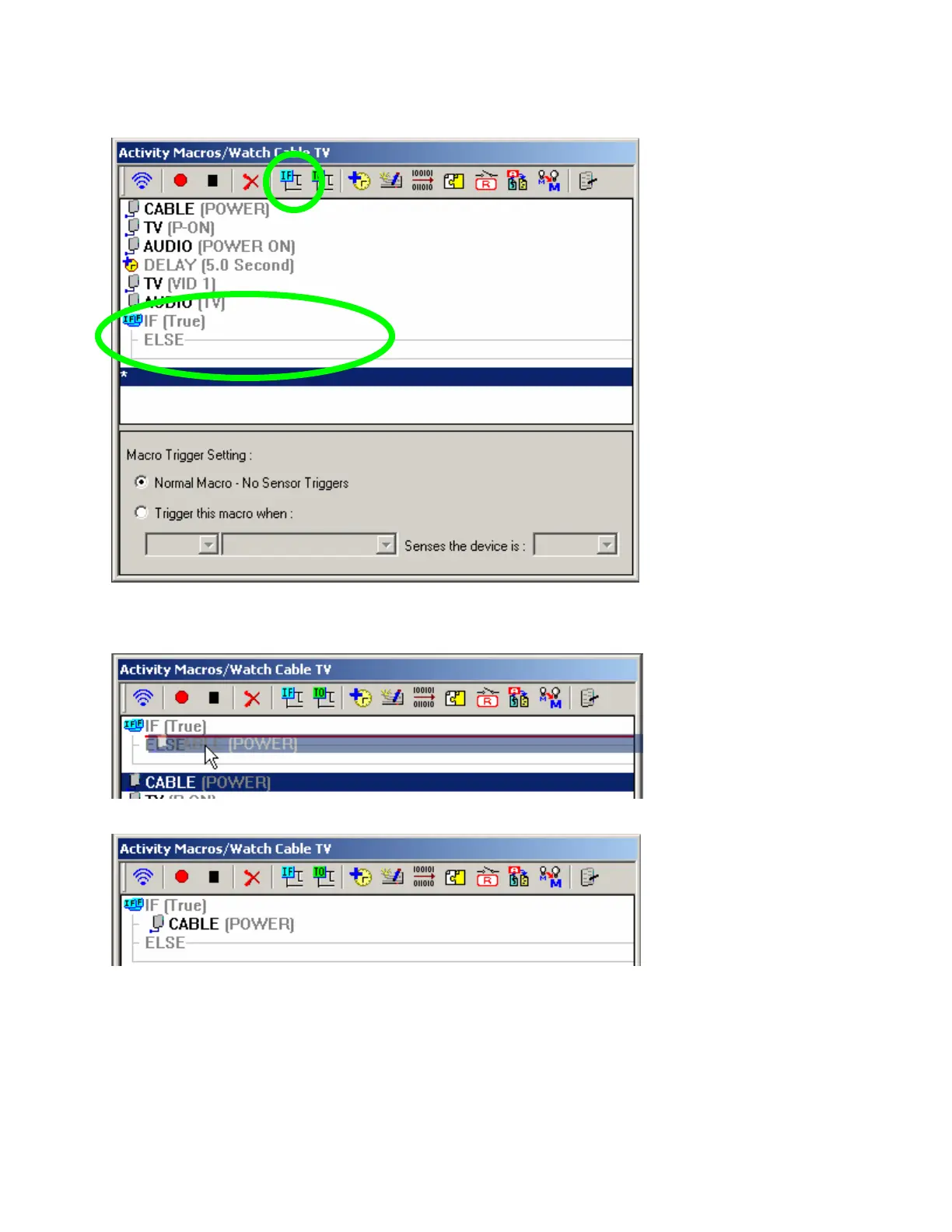
4. In the SMART MACRO WINDOW TOOL BAR, click the IF/ELSE BUTTON. An IF/ELSE BRACKET will
appear at the bottom of the Macro Window.
5. Drag and drop the IF/ELSE BRACKET where you want it. In this case, we want it to sense the CABLE
box, so we drag it above the CABLE[Power} step in the macro.
6. Now, drag the CABLE[POWER] step inside the IF statement like this:
After you drag it, the IF statement should look like this:



 To Next Page