MSC-400 Reference Manual
Rev 4
49
on.
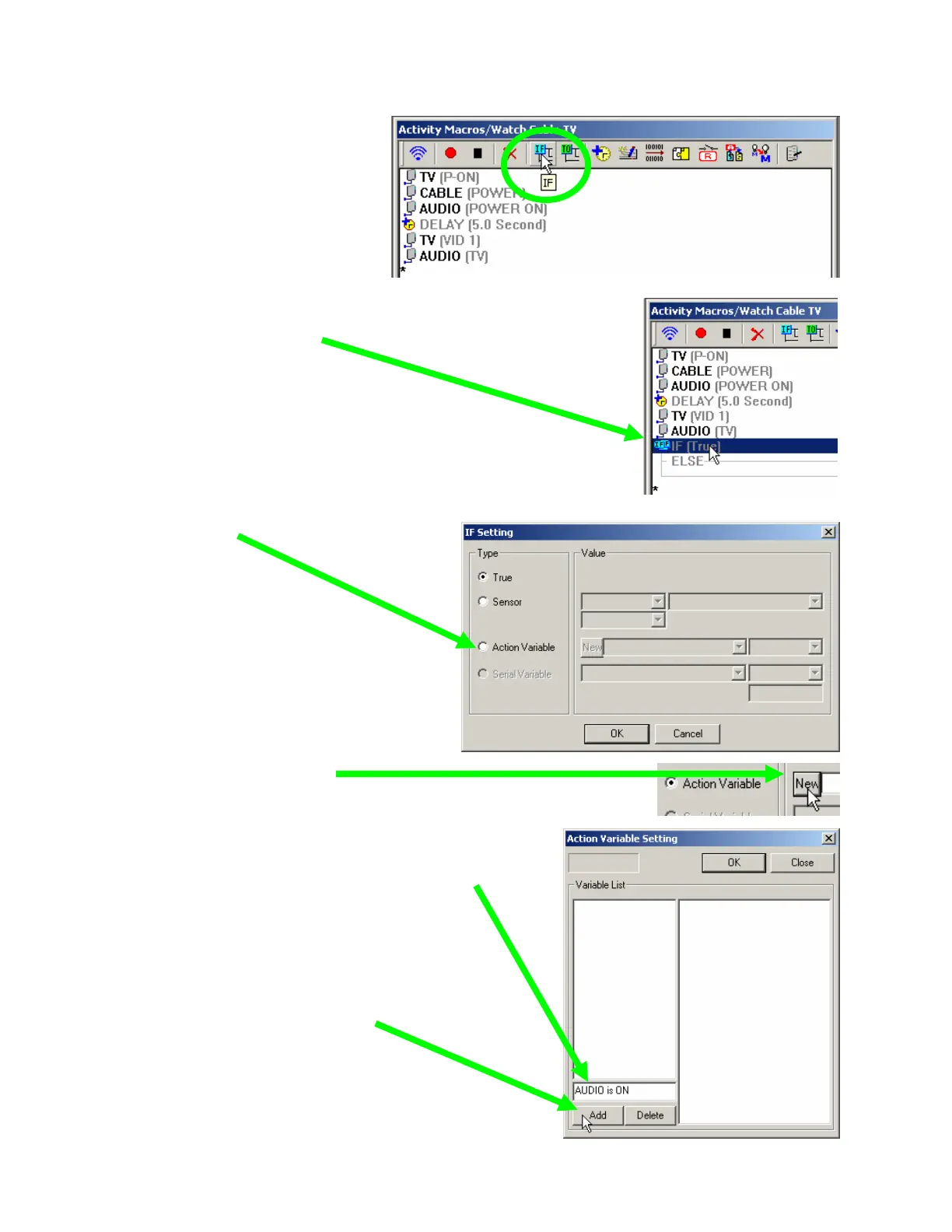
2. Click on the IF button to add
an IF/ELSE line in the macro:
3. Double click on the IF line to open the IF Setting window:
The IF Setting window appears:
4. Click on the Action Variable radio
button.
5. Click on the New button.
The Action Variable Setting window appears:
6. Type in the name for your new variable here.
Since the variable will be either True or False,
name it so that one state is described. In this
case, we are tracking power so we’ve named
the variable “Audio is ON”. This state can either
be True or False, so the label is very descriptive.
Now, click on the Add button.
You could add as many variables as
needed. When you are finished, click
on OK.



 To Next Page