MSC-400 Reference Manual
Rev 4
68
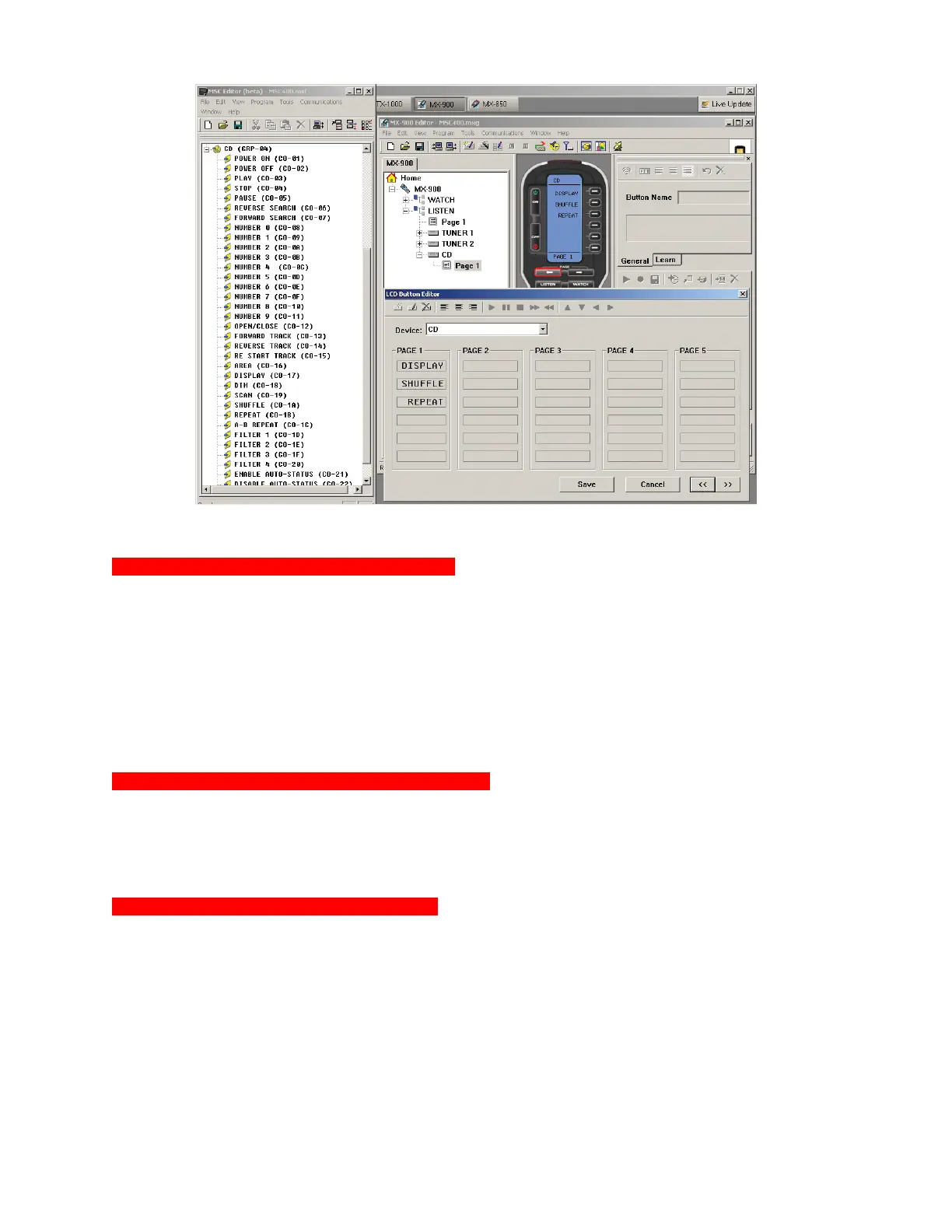
MSC-400 and MX/TX Editors Split Screen
Recording RS232 Commands in Smart Macros
Once RS232 Commands have been cond for a Connected Device, recording RS232 Commands to Smart
Macros is done using the exact same steps as recording IR Commands to Smart Macros. In fact, it is
actually best to have all Connected Device IR and RS232 Commands cond before creating any Smart
Macros if those macros are going to have both IR and RS232 Commands. By having all commands
ready, Smart Macros can be created in ‘real time’ by recording commands directly from Connected
Devices to the Smart Macros without having to start and stop, search databases and create commands.
To use RS232 Commands in Smart Macros see section: MACRO GROUPS AND SMART MACROS and
apply RS232 Commands the same way IR Commands are recorded, moved and used in IF/ELSE
Statements within Smart Macros.
Programming RS232 Macro Triggers to the Remote
RS232 Macro Triggers are programmed to a remote using the same steps used for programming IR
Macro Triggers. After navigating in Universal Browser to the appropriate .msf Project File, select a button
on the remote and drag the appropriate trigger to the Macro Function List for each command for the
device to be controlled via RS232, be it a Hard Key or Soft Key command. See Section: PROGRAMMING
MACRO TRIGGERS TO THE REMOTE for additional information.
RS232 Repeat, Ramp Start and Ramp Speed
Any RS232 Commands such as Volume UP/DOWN, that require a PRESS AND HOLD of a remote
button, need to be cond for Repeat, Ramp Start and Ramp Speed in the Smart Macro Window BEFORE
the project is saved and downloaded.
• Repeat – Sets the command to repeat for a predetermined number of times or for as long as the
button on the remote is pressed and held.
• Ramp Start – The amount of time from when the first command is issued to when the command
starts to repeat.
• Ramp Speed – The speed at which the repeating command repeats.
If these settings are not properly cond, either the volume will not ramp at all or will ramp from 0 to
deafening in less than a second. Typical commands such as Play, Pause, Stop, etc., do not require this
configuration, and are ready for use at this point in programming. To con Repeat and Ramp:
3



 To Next Page