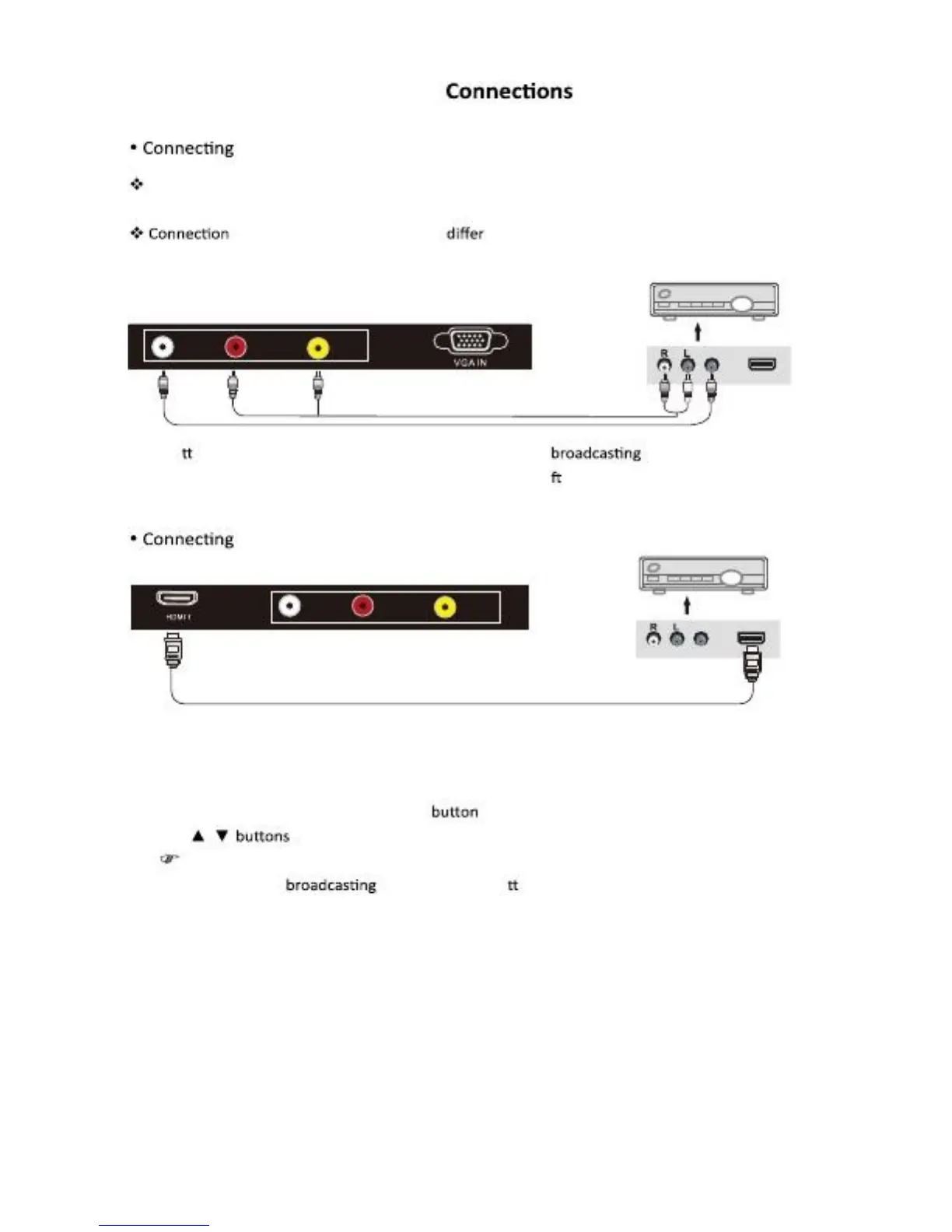
Satellite/Cable TV Set-Top Box
To the Composite terminal
In order to watch Cable TV, Subscribe to your local Cable TV company and install a separate
Receiver (SET-Top-Box)
Terminals of other equipment By manufacturer and model.
<Cable broadcasting receiver>
L
R
AV IN
Y
Y
Y
Y
AV Cable
Connect
His LCD TV’s Composite In terminal to the cable
Receiver Composite Out
Terming using the Composite cable. (Make sure the color o terminals and the color of cable are
The same.)
To the HDMI terminal
<Cable broadcasting receiver>
L
R
AV IN
HDMI Cable
Watching Cable TV
1.
Turn on the LCD TV and press SOURCE
On the remote control.
2.
Use / To move to “AV”.
If HDMI has been connected, select “HDMI”.
3.
Turn on the cable Receiver and select he channel you wish to view.
English-8



 To Next Page