Applica
Opera
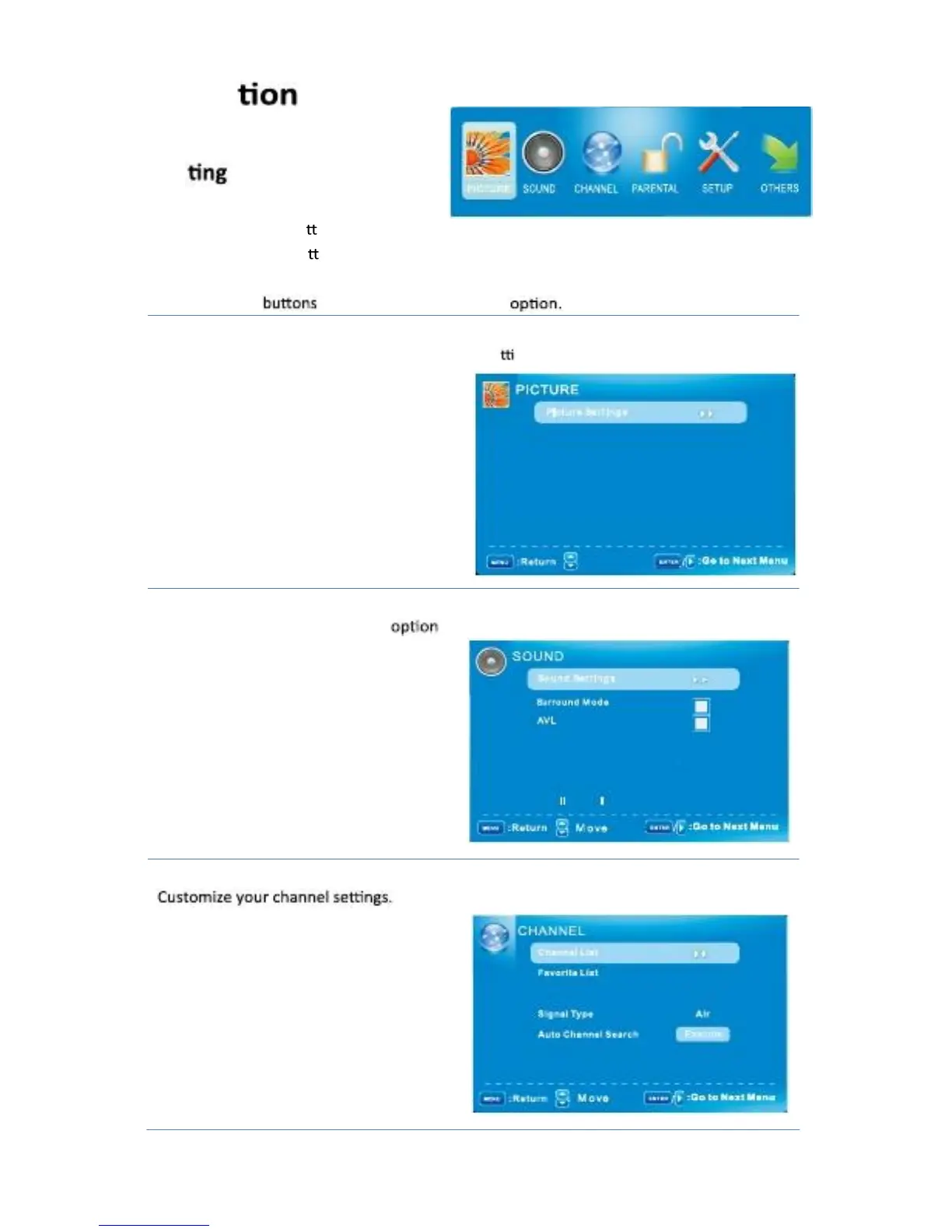
The Menu
1. Press the POWER but on to turn the LCD TV on.
2. Press the MENU but on on the remote control, the on-screen menu will appear on the
Screen.
3. Use the
◄/►
To select your main menu
PICTURE MENU:
Allows you to make adjustments your picture se nags. (Select TV sources for example)
Pi ct u r e Set t I n g s
SOUND MENU:
Scr een Si ze
PC Set t i n g s
Co l o r Tem p er at u r e
A d van ced Pi ct u r e Set t i n g s
M o ve
N o r m al
N o r m al
Allows you cust
o
mize the sound s and effects. (Select TV source for example)
So u n d Set t i n g s
Su r or u n d M o d e
AVL
An n al o g so u n d
D I g I t al so u n d
CHANNEL MENU:
English -12
D I g I t al A u d I o u t p u t
Esq. U al I zero Set t I n g s
:
M o vet
Ch an n el Set t I n g s
:
M o vet
PC M



 To Next Page