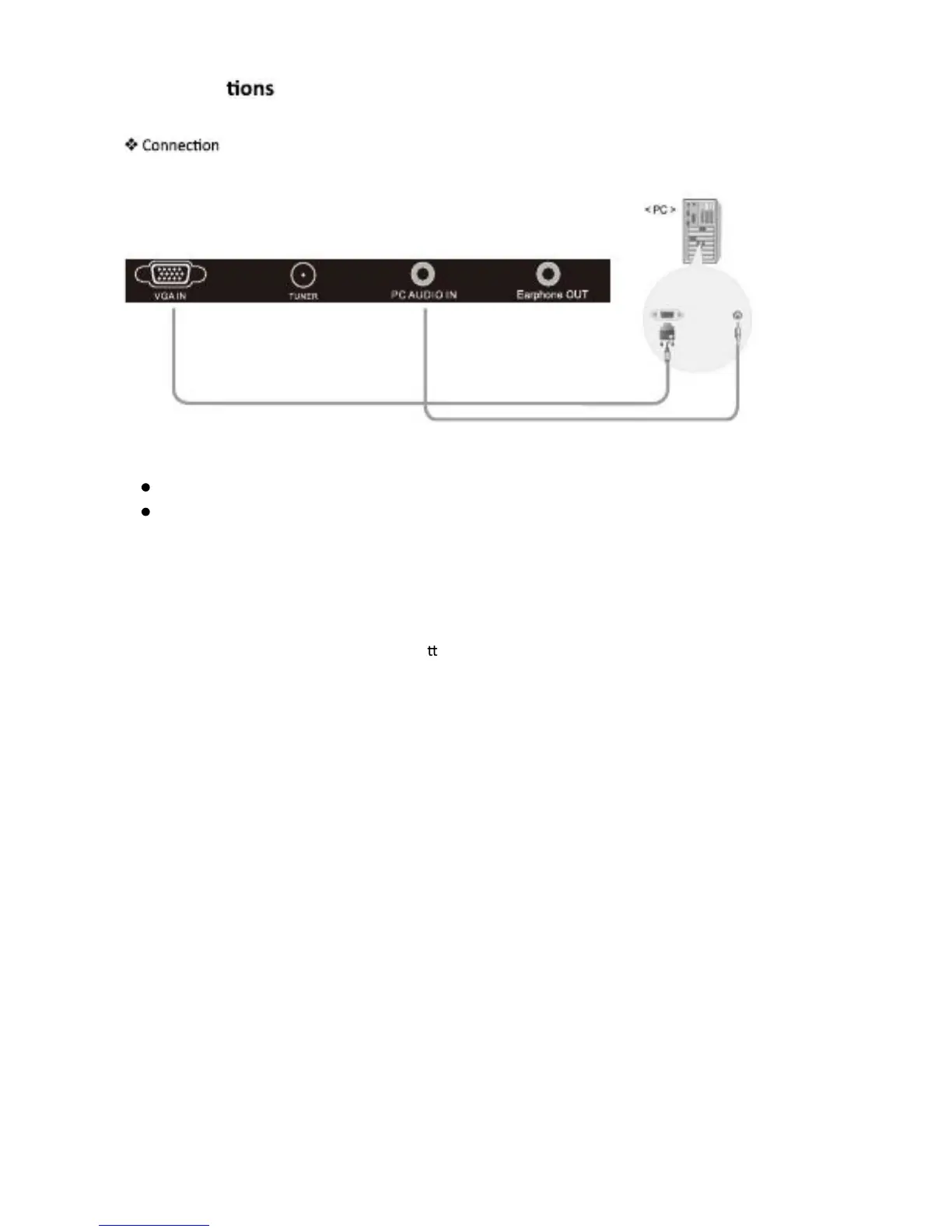
PC Connect
Terminals of other equipments differ by manufacturer and model.
Analog RGB (D-Sub 15pin) Cable
PC Audio Cable
Connect LCD TV’s PC Input terminal to PC’s RGB terminal using the D-Sub cable.
Connect LCD TV’s PC Audio terminal to PC’s Audio terminal using the Audio cable.
(Only for PC’s with Audio terminal)
How to Use as PC monitor
1. Turn on the LCD TV and press SOURCE but on on the remote control.
2. Use ▲/▼ to move to “VGA”.
English -10



 To Next Page