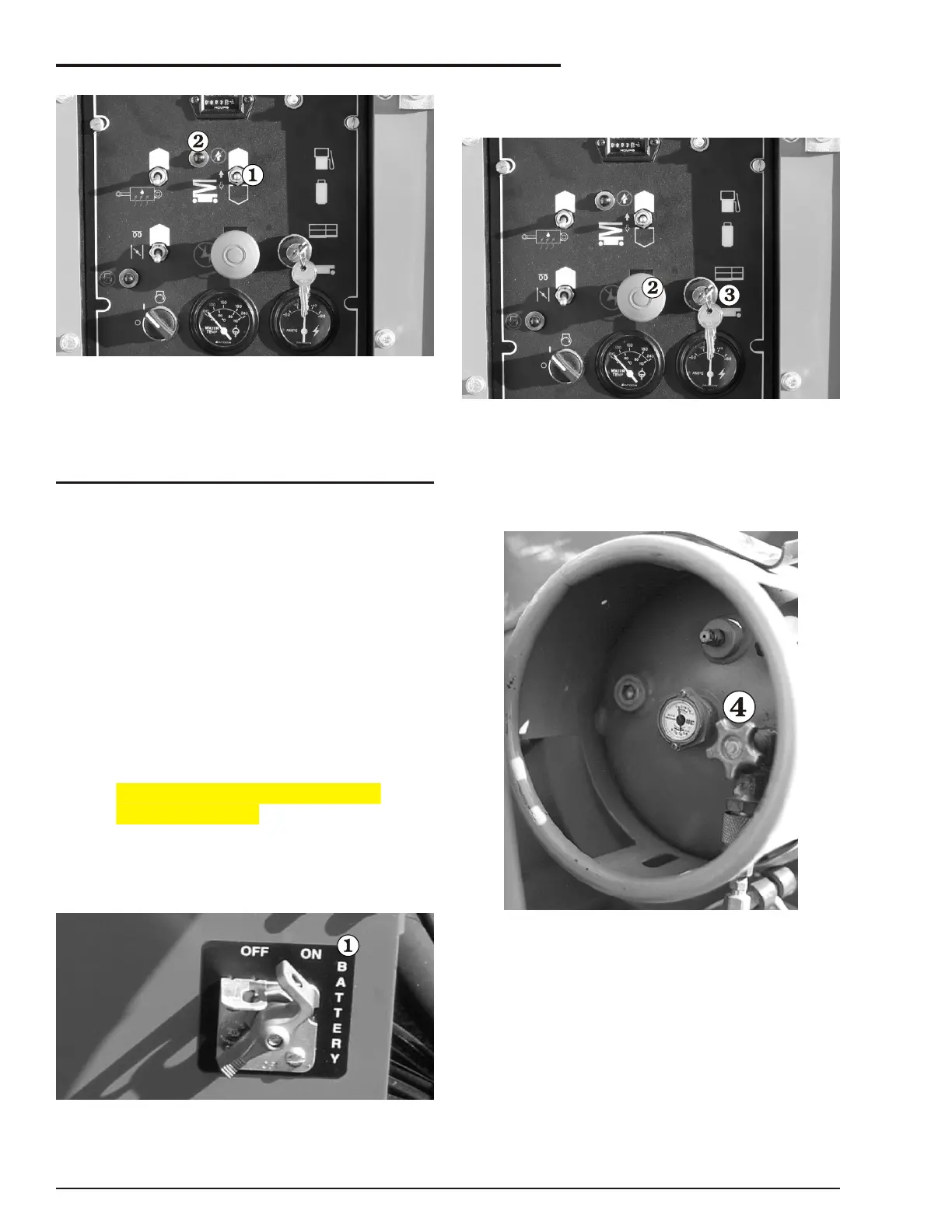
Figure 8.9
2. To raise the platform, press and hold the
Platform Lift/Lower switch up (see Figure
8.9).
NOTE
If the indicator light is not lit, the platform will
not rise because: the chassis is not level, the
stabilisers (if present) are not properly set.
Correct the problem then continue.
3. To lower the platform, press and hold the
Platform Lift/Lower switch down (see
Figure 8.9).
■
Operating From The Platform Control
Box
Be fore you be gin to op er ate the RT from the plat -
form con trol box, a qual i fied op er a tor must per form
the Daily In spec tion and Main te nance as de -
scribed in chap ter , of this manual
➜ Starting a gasoline, LP-only, or
dual-fuel engine
To start a gas o line, LP-only, or dual-fuel (LP & gas -
o line) en gine from the plat form con trol box do the
fol low ing:
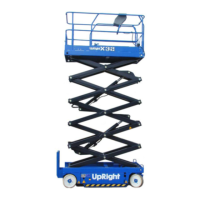
Figure 8.10
1.
Set the Battery switch to on (see Figure
8.10).
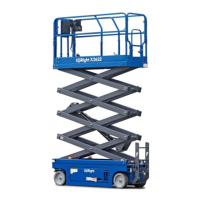
Figure 8.11
2.
Set the Emergency Stop switch to on
(up) (see Figure 8.11).
3.
Set the Ground/Platform Selector switch
to platform (up) (see Figure 8.11).
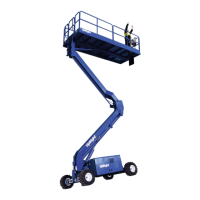
Figure 8.12
4.
For LP operation:
Completely open the valve (see Figure
8.12) on top of the LP tank (unscrew
counterclockwise until it stops).
page 8 - 4 Rev A SR3370 & SR2770 – 13184A
8. Operation



 To Next Page