file:///G|/CSO/T-Writer%20Repository/Networking/5455%20MAXg%20CR%20AP/Regulatory%20Preview/install.html
Installation CD-ROM to install and run the USRobotics Wireless MAXg Detection Utility and configure basic
settings in one easy, continuous process:
1. Insert the USRobotics Installation CD-ROM into the CD-ROM or DVD drive.
If the CD doesn't start automatically, start it manually as follows:
A. Windows Vista: Click Windows Start > Computer.
Windows XP: Click Windows Start > My Computer.
Windows 2000: On the desktop, double-click My Computer.
B. Double-click the CD drive.
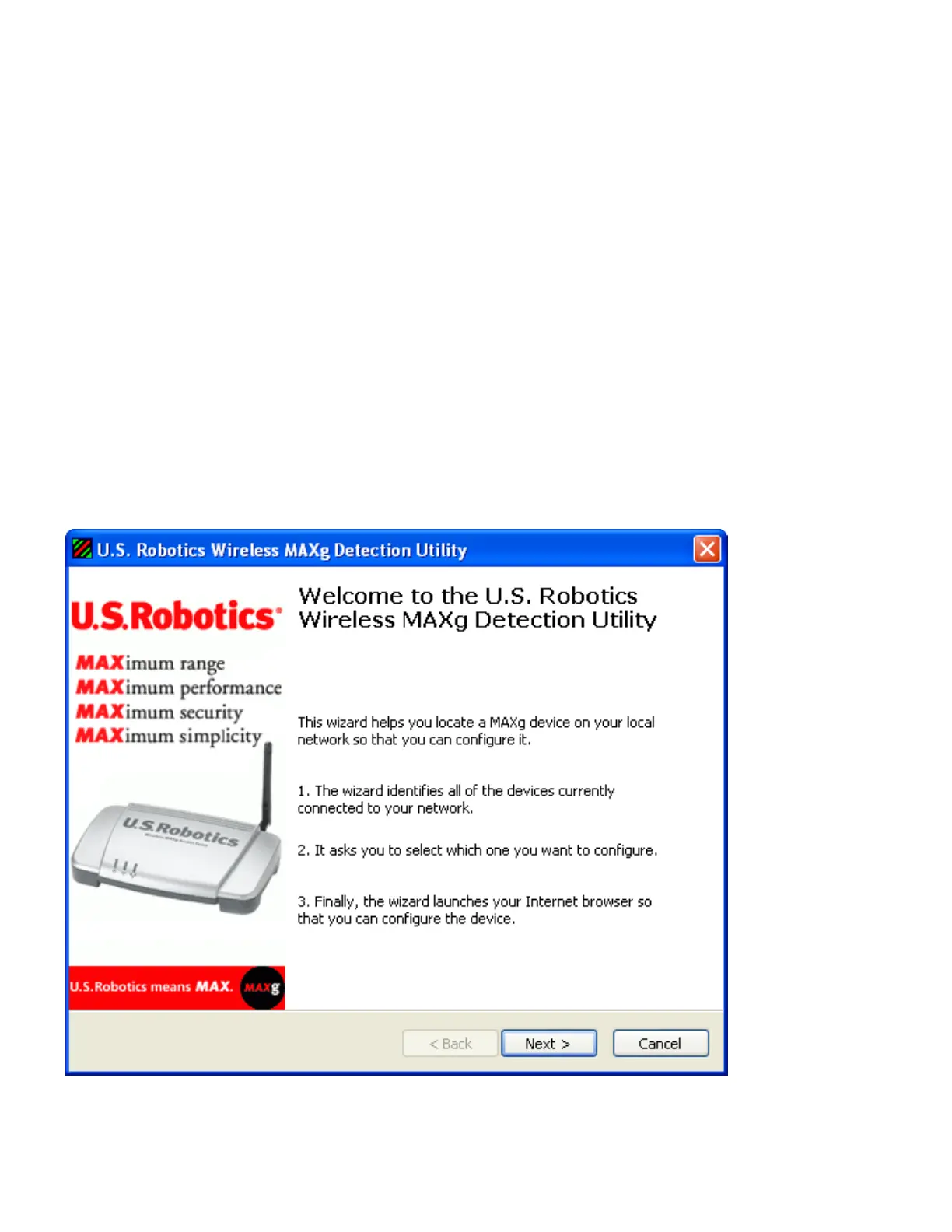
2. Follow the on-screen instructions to install the detection utility.
When the utility is installed, it starts automatically:
3. Click Next.
If the computer has more than one network adapter, the detection utility lists them:
file:///G|/CSO/T-Writer%20Repository/Networking/5455%20MAXg%20CR%20AP/Regulatory%20Preview/install.html (3 of 10)4/24/2007 5:15:20 PM



 To Next Page