file:///G|/CSO/T-Writer%20Repository/Networking/5455%20MAXg%20CR%20AP/Regulatory%20Preview/install.html
Note to UK Users: With the power adapter unplugged, connect the appropriate power
plug for your country on to the power adapter. Apply enough pressure to cause a click and
firmly seat the plug.
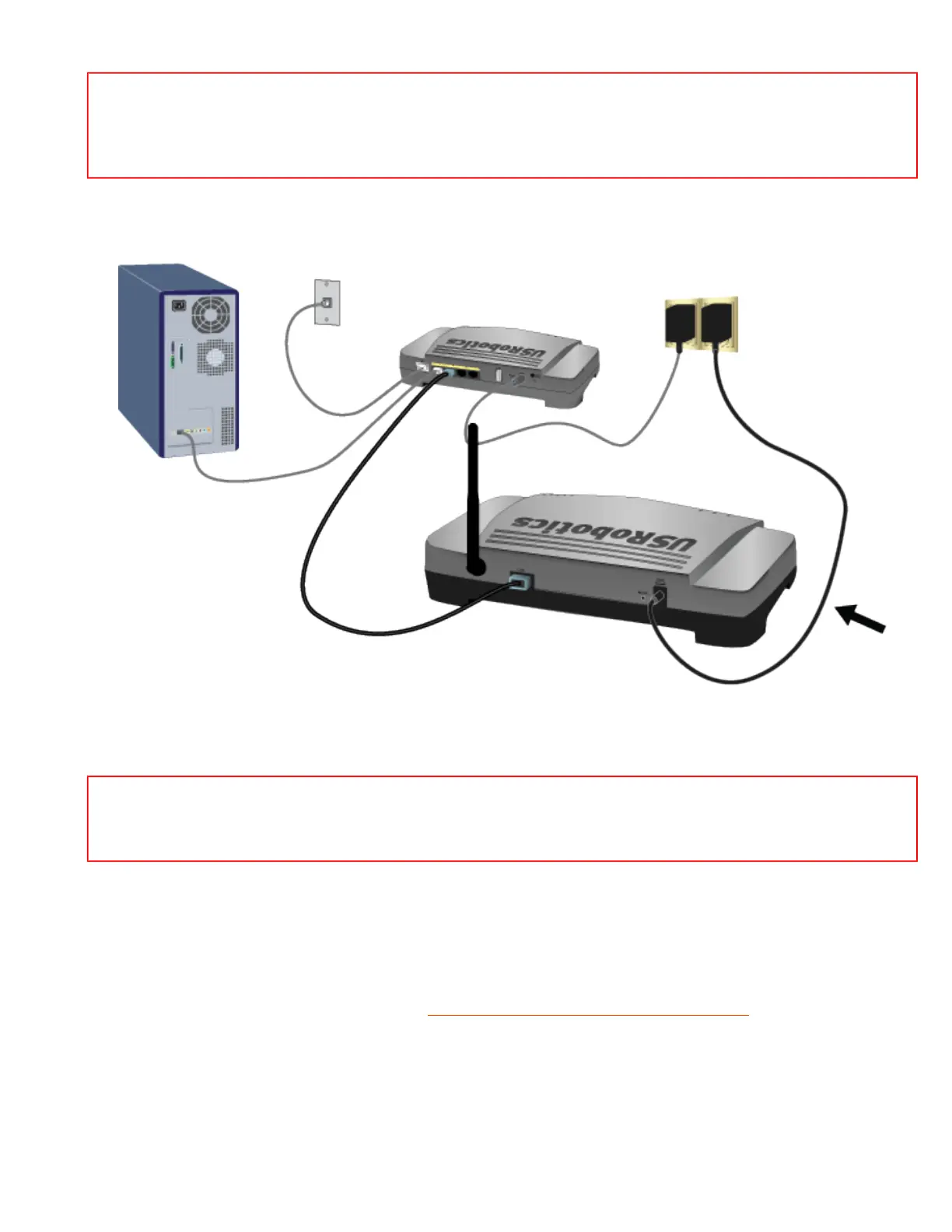
A. Connect the supplied power adapter to the 9VDC port on the access point.
B. Plug the power adapter into a standard power outlet.
Note: This product is intended to be supplied by a Listed Direct Plug-in Power Unit
marked Class 2 and rated 9VDC, 1200 mA.
Step Two: Start the Setup Wizard
The setup wizard makes it easy for you perform basic setup of the access point. To start the wizard using
an operating system other than Windows, go to
Setup Wizard for Non-Windows Users.
Setup Wizard for Windows Users
If you are using a Windows operating system, you can use the setup program on the USRobotics
file:///G|/CSO/T-Writer%20Repository/Networking/5455%20MAXg%20CR%20AP/Regulatory%20Preview/install.html (2 of 10)4/24/2007 5:15:20 PM



 To Next Page