file:///G|/CSO/T-Writer%20Repository/Networking/5455%20MAXg%20CR%20AP/Regulatory%20Preview/install.html
Wireless MAXg Access Point: User Guide
Installing the Access Point
If you are connecting the access point to a router or other networking device without a DHCP server, see
The networking device I am using does not have a DHCP server in the "Troubleshooting" section of this
User Guide.
Step One: Connect the Access Point
1. Look at the label on the bottom of the access point and note its LAN MAC address. You may need it
to distinguish the access point from other devices on your network.
2. Connect the provided antenna to the back of the access point if it is not already connected.
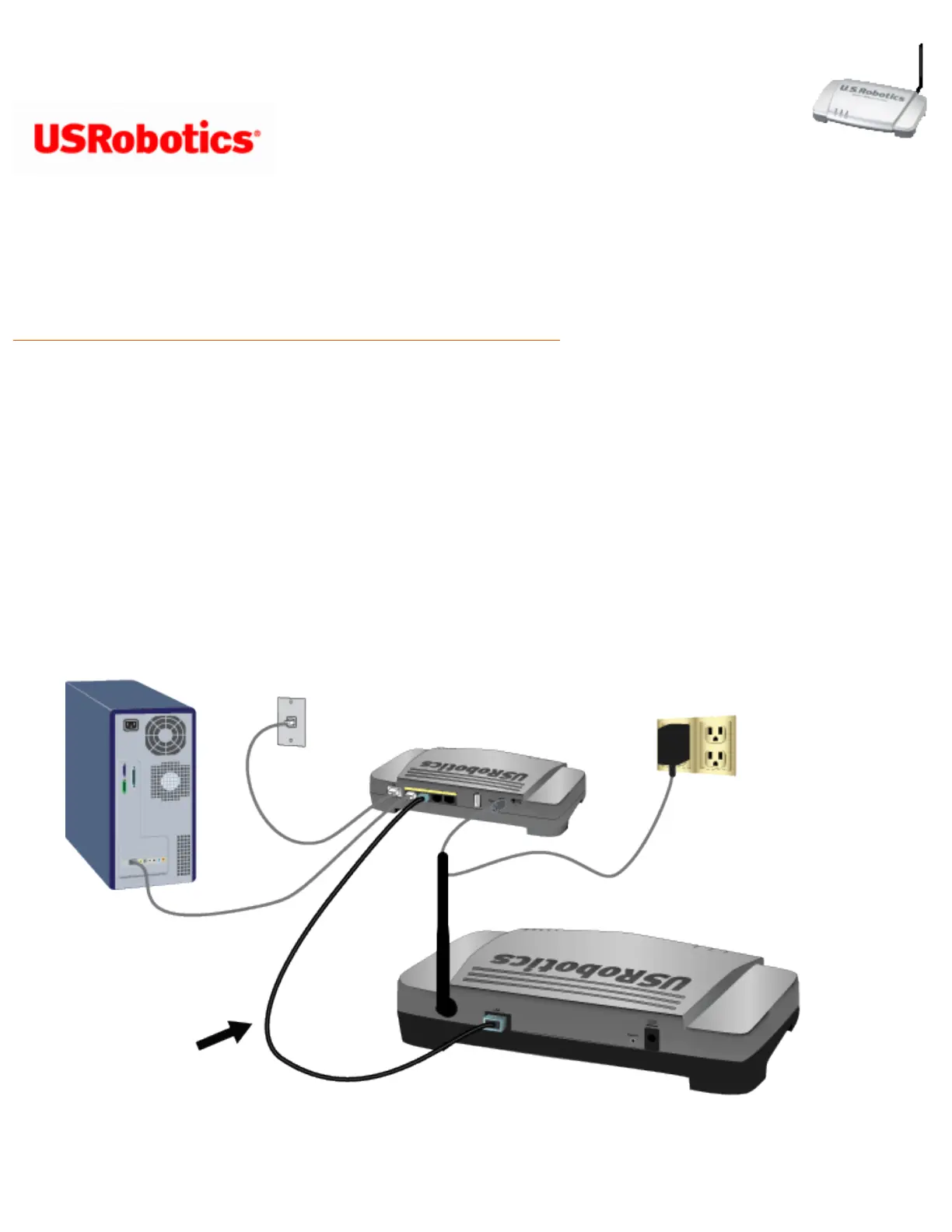
3. Use the supplied Ethernet cable to connect the LAN port on the access point to a LAN port on your
networking device.
4. Supply power to the access point as follows:
file:///G|/CSO/T-Writer%20Repository/Networking/5455%20MAXg%20CR%20AP/Regulatory%20Preview/install.html (1 of 10)4/24/2007 5:15:20 PM



 To Next Page