usually between 8 and 15 characters long.
2. You can enter a space or other punctuation in your password.
3. Use a mixture of upper (A through Z) and lower (a through z) case letters.
4. Adding numbers 0 through 9 to a password increases security.
5. Use ASCII symbols, such as ~ ! @ # $ % & ^ *, etc, to further increase the security
of your password.
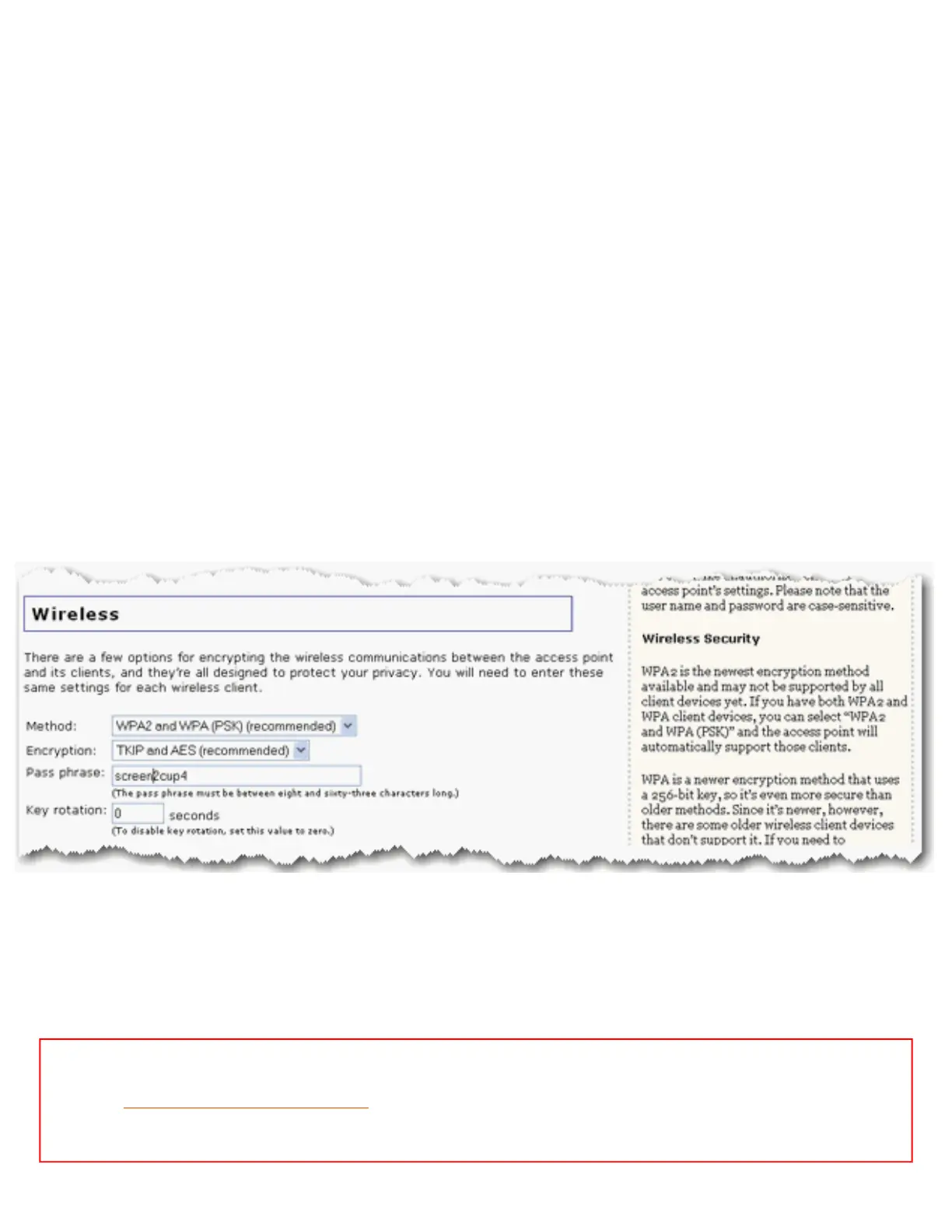
Wireless
In this section you can enable the wireless security features. USRobotics strongly
recommends that you enable some form of wireless security so that unauthorised clients are
not able to access your network.
For your wireless security settings, it is recommended that you select the WPA2 and WPA
(PSK) or the WPA2 and WPA with 802.1x (RADIUS) (if you have a RADIUS server and
are in Access Point mode) wireless security method using TKIP and AES encryption for the
most secure wireless network.
Note: All the wireless devices you want to connect to the network must have the
same
wireless security settings including the pass phrase or key that you use to
secure your wireless network.
file:///G|/CSO/T-Writer%20Repository/Networking/5455%20MAXg%20CR%20AP/Regulatory%20Preview/security.html (2 of 8)4/24/2007 5:15:53 PM



 To Next Page