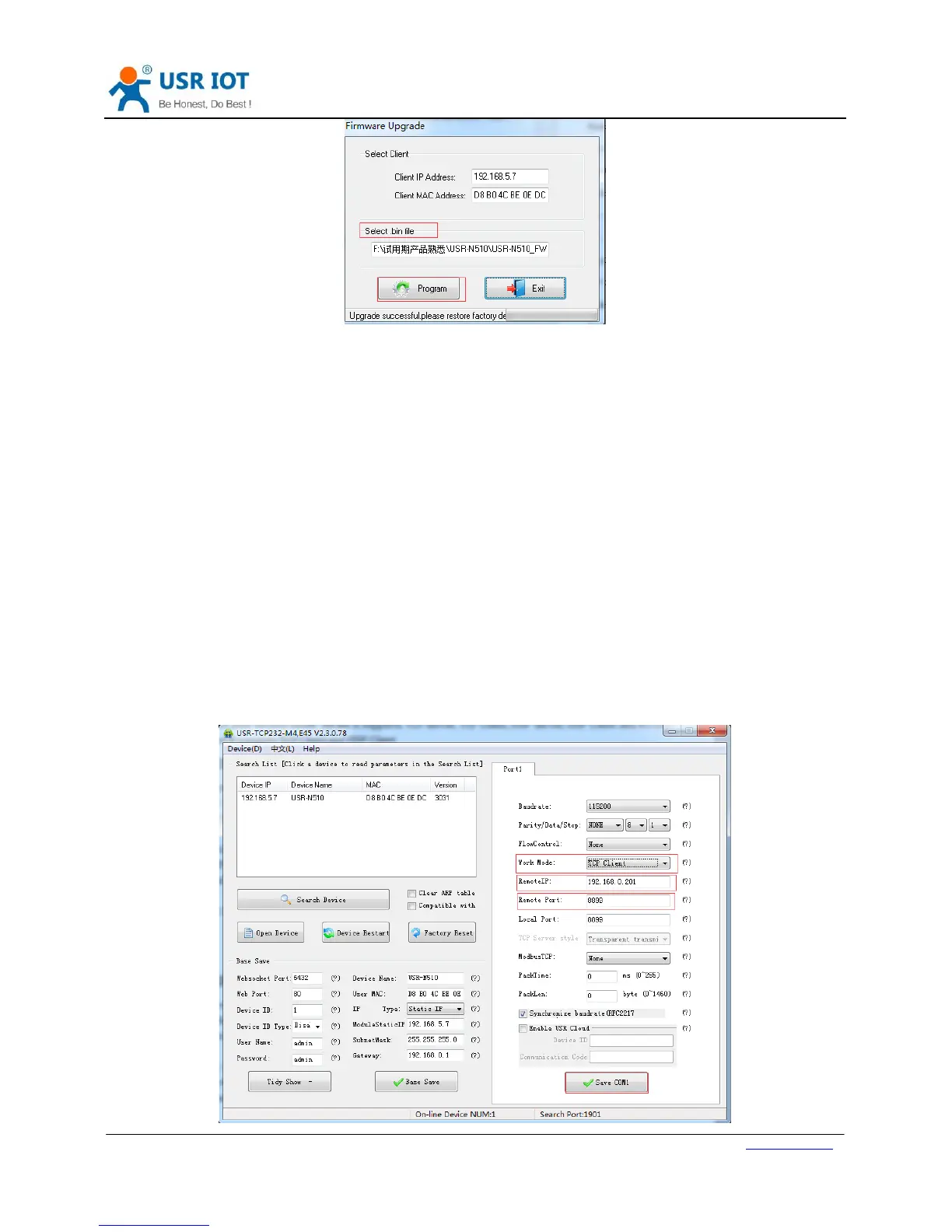
Figure 9 Upgrade firmware version
2.2. Socket functions
N510 support dual sockets mode. Socket A supports TCP Server, TCP Client, UDP Server, UDP Client and HTTPD
Client. Socket B supports TCP Client and UDP Client.
2.2.1. TCP Client
TCP Client provides Client connections for TCP network services. TCP Client device will connect to server to
realize data transmission between the serial port and server. According to the TCP protocol, TCP Client has
connection/disconnection status differences to ensure reliable data transmission.
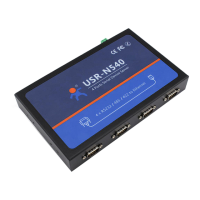
N510 work in TCP Client mode need connect to TCP Server and need set the parameter: Remote IP/Port. N510
work in TCP Client won’t accept other connection request except target server and will access server with
random local port.
User can set N510 in TCP Client mode and related parameters by setup software or web server as follows:


 To Next Page