3. Parameter Setting
There are three ways to configure USR-N510. They are setup software configuration, web server configuration
and AT command configuration.
3.1. Setup software Configuration
User can download setup software from http://www.usriot.com/usr-tcp232-m4k3-setup-software/. When
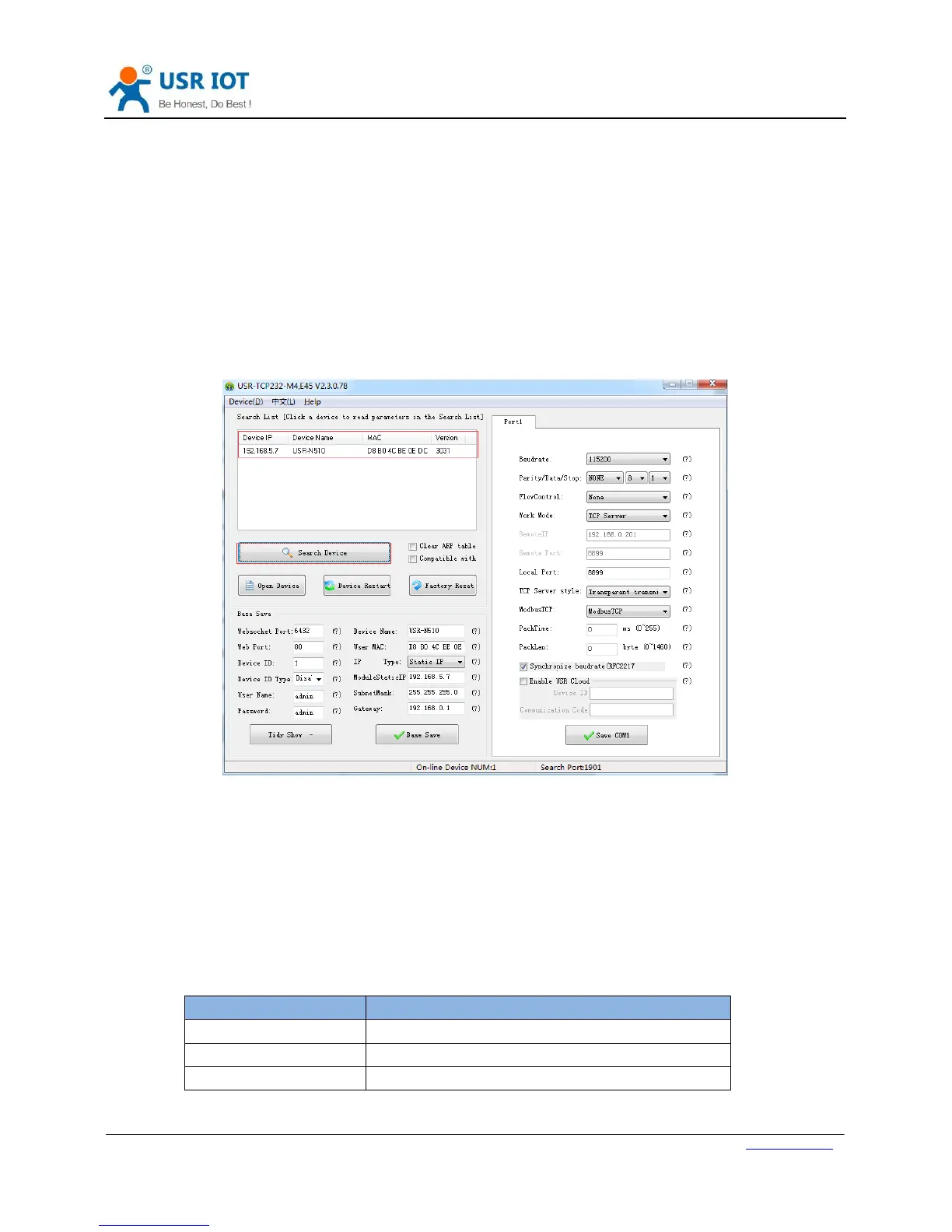
user want to configure the N510 by setup software, user can run setup software, search N510 in same LAN and
configure the N510 as follow:
Figure 26 Setup software
After researching N510 and clicking N510 to configure, user need log in with user name and password. Default
user name and password both are admin. If user keep the default parameters, it is not necessary to log in.
3.2. Web Server Configuration
User can connect PC to N510 through LAN port and enter web server to configure.
Web server default parameters as follow:


 To Next Page