USR-TCP232-302 User Manual h.usriot.com
Jinan USR IOT Technology Limited www.usriot.com
Diagram 3.2-2 DNS
USR-VCOM Download: http://www.usriot.com/usr-vcom-setup-software-v3-7-1-520/
USR-VCOM Manual: http://www.usriot.com/usr-vcom-setup-software-user-manual-v3-5-2/
If user’s upper computer and device are all connect by serial port, user can create a COM which has TCP/
IP to realize remote control by USR-VCOM software.
1) Turn off firewall and anti-virus software.
2) Install USR-VCOM.
I advise user to select “Search”or “Smart vcom” to create virtual port. Please refer to 3.3.3
3.3.1. TCP232-302 Works as Client
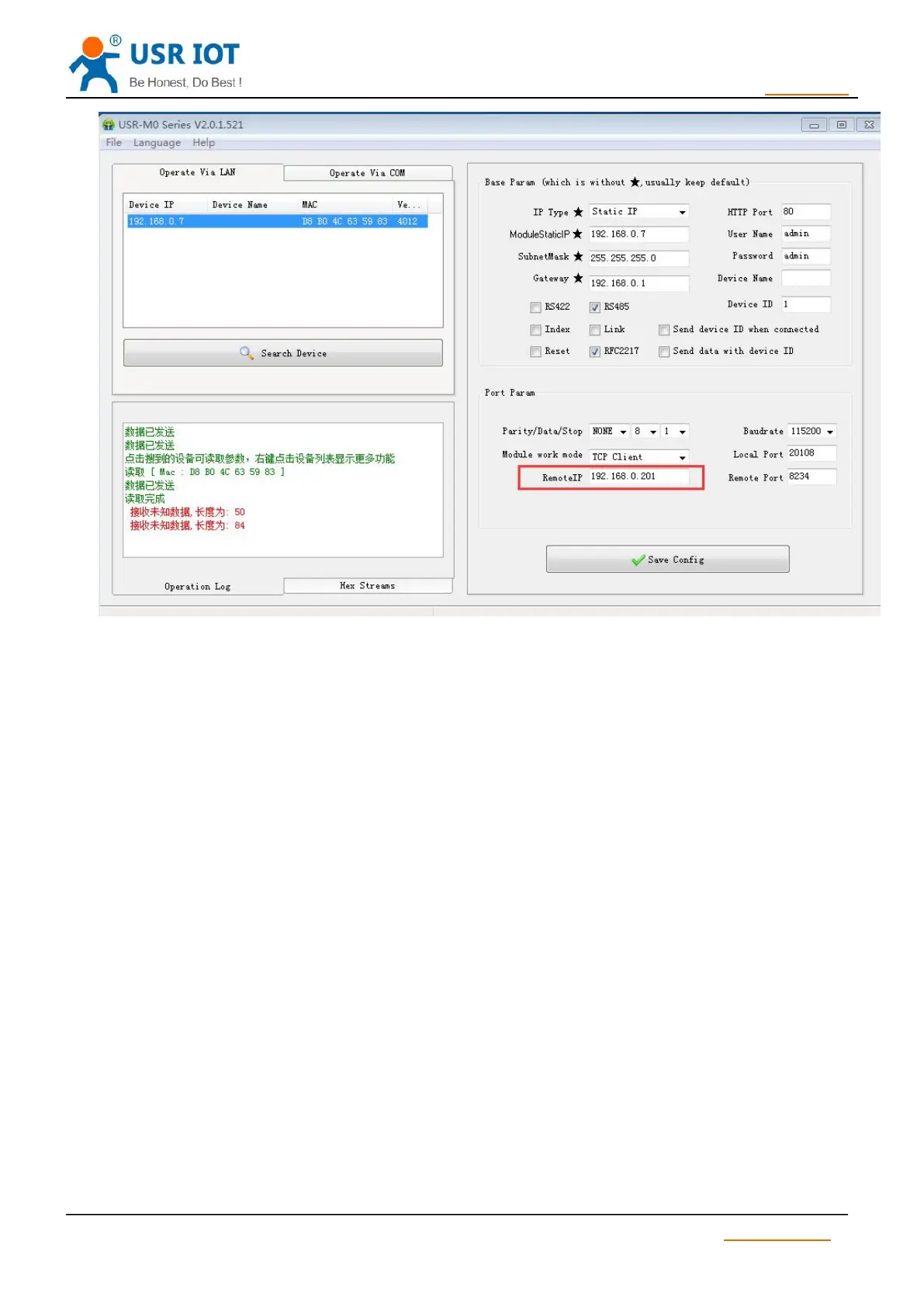
1) Set module parameters. T2 work model: TCP Client.
2) Open USR-VCOM, set virtual port as follows :



 To Next Page