USR-TCP232-302 User Manual h.usriot.com
Jinan USR IOT Technology Limited www.usriot.com
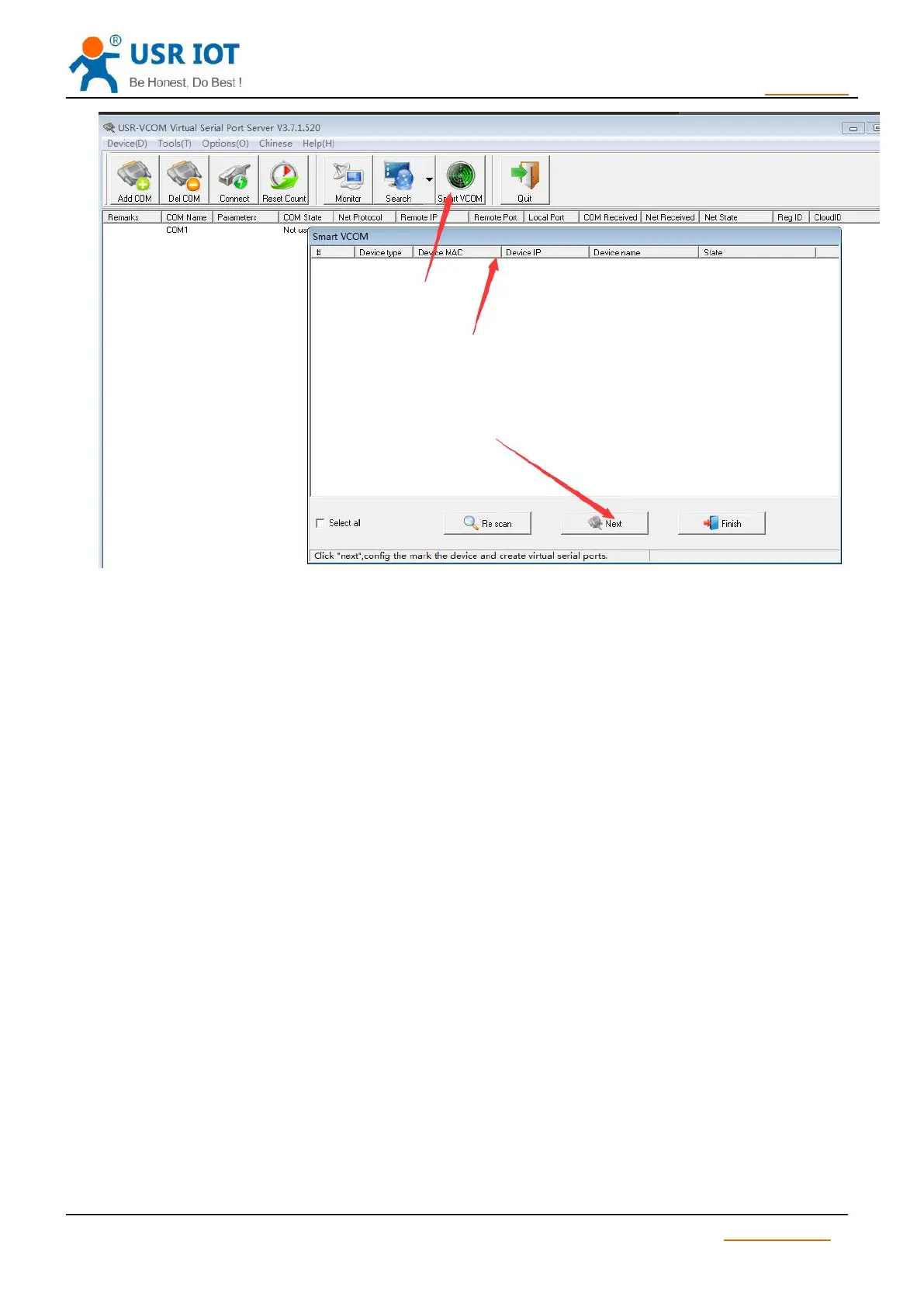
Diagram 3.3.3-1 Smart VCOM
1) Hardware: pull “ Reload “ down to 0 V level for 5 seconds then pull CFG( Reload) up to 3.3 V or don’t
connect it, resetting is finished.
2) Software: finish it by set-up software.
Link pin can be used as indication pin for TCP connection status.
When connected, it output low level; When unconnected, high level.
When TCP232-302 is in TCP mode,after connection, Link pin will pull down automatically. Otherwise,
Link pin will pull up.
When TCP232-302 is in DUP model, Link pin will always pull down.
Note: Reserved Link pin of TCP232-302 can be used as Link indication.
As Link pin doesn’t stretch out of shell , to realize the function ,user can only use TCP232-302-PCBA
When TCP232-302 works as TCP Client, it connects to TCP Server actively. When start Reset function,
TCP232-302 try to connect TCP Server for 30 times, if failed, TCP232-302 will restart automatically.
By default, this function is not checked.



 To Next Page