Multifunctional serial to Ethernet module user manual www.tcp232.net
Jinan USR IOT Technology Co., Ltd freda@usr.so
Page 14 /
/
/
/ 9
3.
3.
3.
3. Hardware
Hardware
Hardware
Hardware interface:
interface:
interface:
interface:
3.1.
3.1.
3.1.
3.1. USR-TCP232-E
USR-TCP232-E
USR-TCP232-E
USR-TCP232-E
3.1.1.
3.1.1.
3.1.1.
3.1.1. Hardware
Hardware
Hardware
Hardware
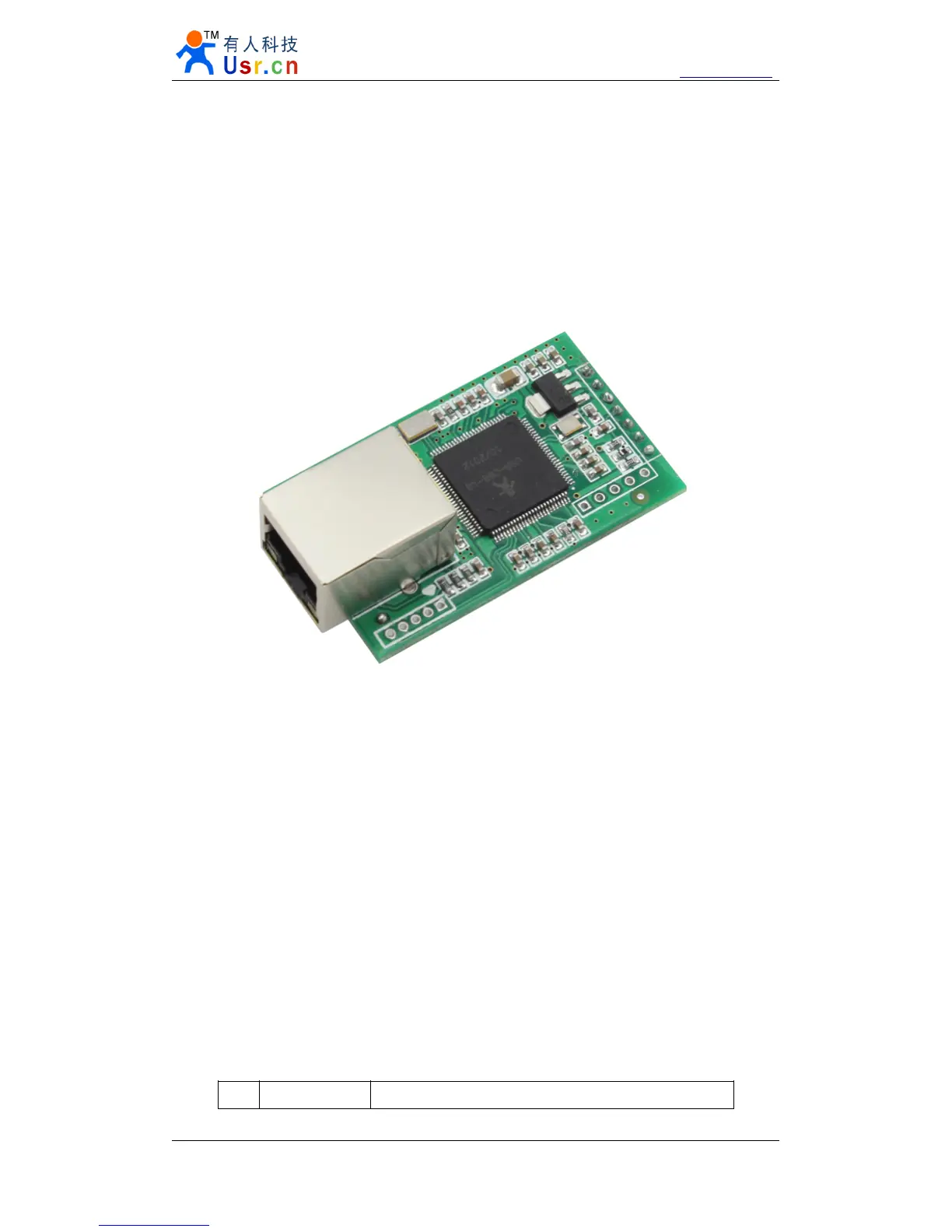
Diagram 3 - 1 USR-TCP232-E
1) Mechanical dimesion : ( L × W × H): 5 5 × 30 × 23 .2 (mm) including RJ45 and connector ;
2) PCB dimension (L × W): 50 .4 × 30.0 (mm) ;
3) 5V 3.3V double power input , choose 1 input
1) 2 * serial(2 * TTL)
2) TTL serial port support hardware flow control
3.1.2.
3.1.2.
3.1.2.
3.1.2. Power
Power
Power
Power
Power supply socket, The input voltage range 3.3V or
5V
, current 150 MA. We default
supply high quality 5 V / 1 A power adapter.
3.1.3.
3.1.3.
3.1.3.
3.1.3. LED
LED
LED
LED status
status
status
status
Except for Link and Data of RJ45, there is one work LED interface
ID name
Description


 To Next Page