Multifunctional serial to Ethernet module user manual www.tcp232.net
Jinan USR IOT Technology Co., Ltd freda@usr.so
Page 27 /
/
/
/ 9
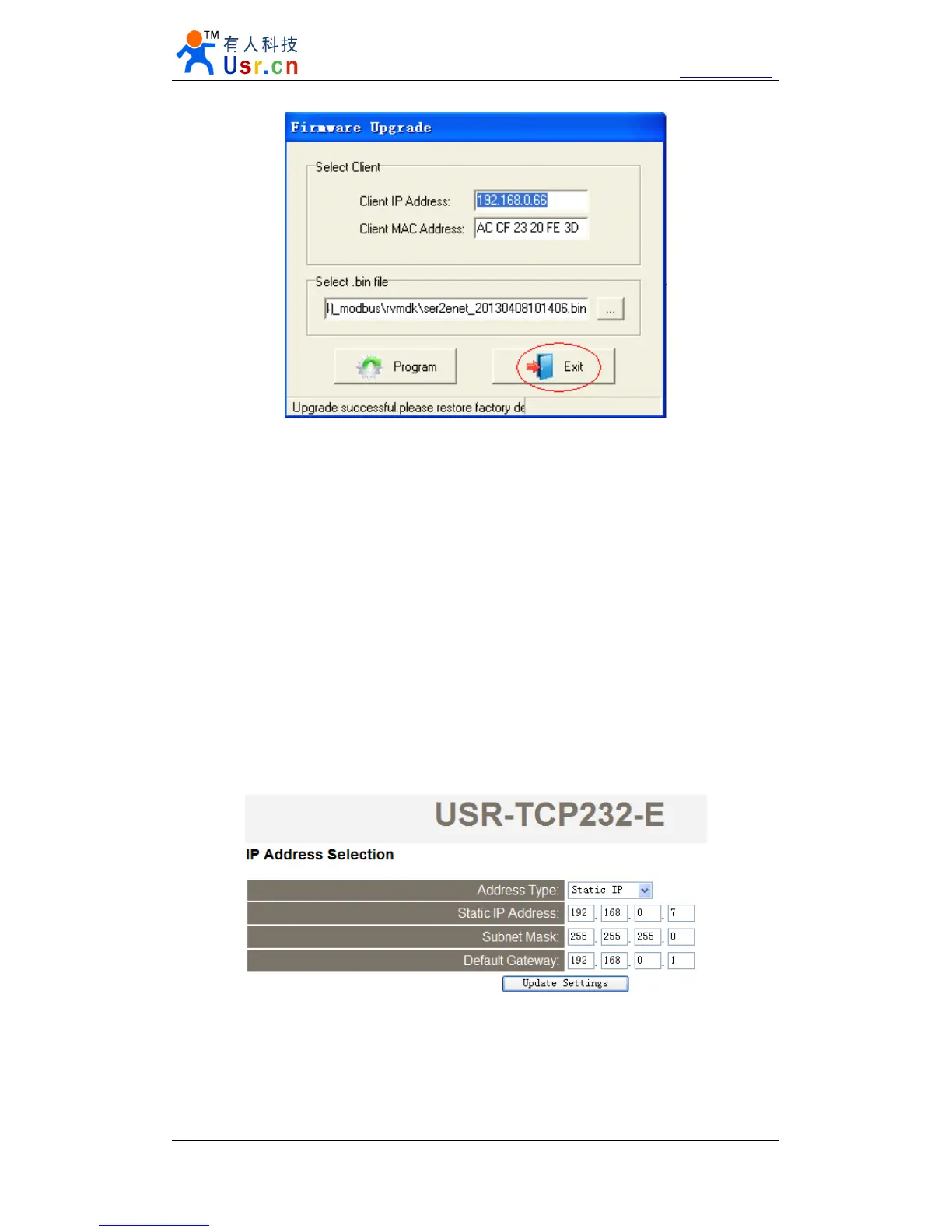
Diagram 5 - 9 success
Note. After update, if can not search module, restore to factory will fix this problem.
6.
6.
6.
6. Module
Module
Module
Module USES
USES
USES
USES
6.1.
6.1.
6.1.
6.1. Hardware
Hardware
Hardware
Hardware connection
connection
connection
connection
For the convenience of use, we designed evaluation board for module USR-TCP232-E , with
the RS232 to TTL conversion circuit, convenient for user communicate with computer .
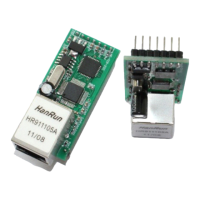
Here we take USR-TCP232-E for example, The default configuration:
IP address: 192.168.0.7
Subnet mask: 255.255.255.0
The default gateway: 192.168.0.1
Diagram 6 - 1 IP Address Selection
To test briefly, you can connect the module with computer via network cable, or you can also
connect the module and computer to switch or router at the same time. No need to distinguish
cross and direct connect cable, the module have automatic switch function. And, change computer
IP to 192.168.0. *, such as 192.168.0. 161 we test.


 To Next Page