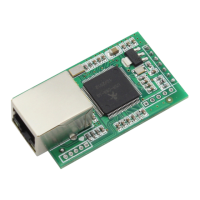
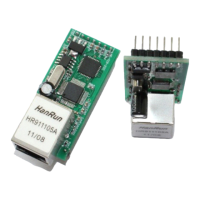
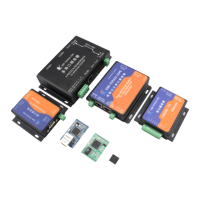
Multifunctional serial to Ethernet module user manual www.tcp232.net
Jinan USR IOT Technology Co., Ltd freda@usr.so
Page 2 /
/
/
/ 9
Contents
Contents
Contents
Contents
Multifunctional S erial to E thernet converter ......................................................................................... 1
1. Introduction ......................................................................................................................................... 4
1.1. Overview ................................................................................................................................. 4
1.2 Features ...................................................................................................................................... 4
1.2. Applications ............................................................................................................................. 5
1.3. Order information ................................................................................................................... 5
1.4. Electrical
c
haracteristics ......................................................................................................... 5
2. Work Mode .......................................................................................................................................... 6
2.1. Block diagram ......................................................................................................................... 6
2.2. UDP mode ............................................................................................................................... 6
2.3. TCP Client mode ..................................................................................................................... 7
2.4. UDP Server mode ................................................................................................................... 8
2.5. TCP Server mode .................................................................................................................... 9
2.6. Httpd Client mode ................................................................................................................. 10
2.7. TCP Auto mode ..................................................................................................................... 11
2.8. WEB to Serial mode ............................................................................................................. 12
3. Hardware interface: .......................................................................................................................... 14
3.1. USR-TCP232-E .................................................................................................................... 14
3.1.1. Hardware ..................................................................................................................... 14
3.1.2. Power .......................................................................................................................... 14
3.1.3. LED status .................................................................................................................. 14
3.1.4. Serial(TTL) interface ................................................................................................. 14
3.2. USR-TCP232-400 ................................................................................................................. 15
3.2.1. Hardware ..................................................................................................................... 15
3.2.2. Power .......................................................................................................................... 15
3.2.3. LED status .................................................................................................................. 16
3.2.4. RS232 interface .......................................................................................................... 16
3.2.5. RS485 /RS422 interface ........................................................................................ 16
3.3. USR-TCP232-500 ................................................................................................................. 17
3.3.1. Hardware ..................................................................................................................... 17
3.3.2. Power .......................................................................................................................... 17
3.3.3. LED status .................................................................................................................. 17
3.3.4. RS232 interface .......................................................................................................... 17
3.3.5. RS485 /RS422 interface ........................................................................................ 18
3.4. RJ45 interface ........................................................................................................................ 18
3.5. Reload .................................................................................................................................... 18
4. Paramters configuration ................................................................................................................... 19
4.1. Web page ............................................................................................................................... 19
4.2. Serial port .............................................................................................................................. 19


 To Next Page
 Loading...