Multifunctional serial to Ethernet module user manual www.tcp232.net
Jinan USR IOT Technology Co., Ltd freda@usr.so
Page 25 /
/
/
/ 9
Diagram 5 - 5 reset command structure
For example:
FF 0 D 0 2 61 64 6D 69 6E 00 61 64 6D 69 6E 00 2 0
Device will response(4 Byte):
FF 01 02 4B (command success) 4B = 'K';
FF 01 02 45 (user name and password false) 45 = 'E'.
5.5.
5.5.
5.5.
5.5. Firmupdate
Firmupdate
Firmupdate
Firmupdate
Use search and config software to update firmware, only
once for one time, can not cross network segment.
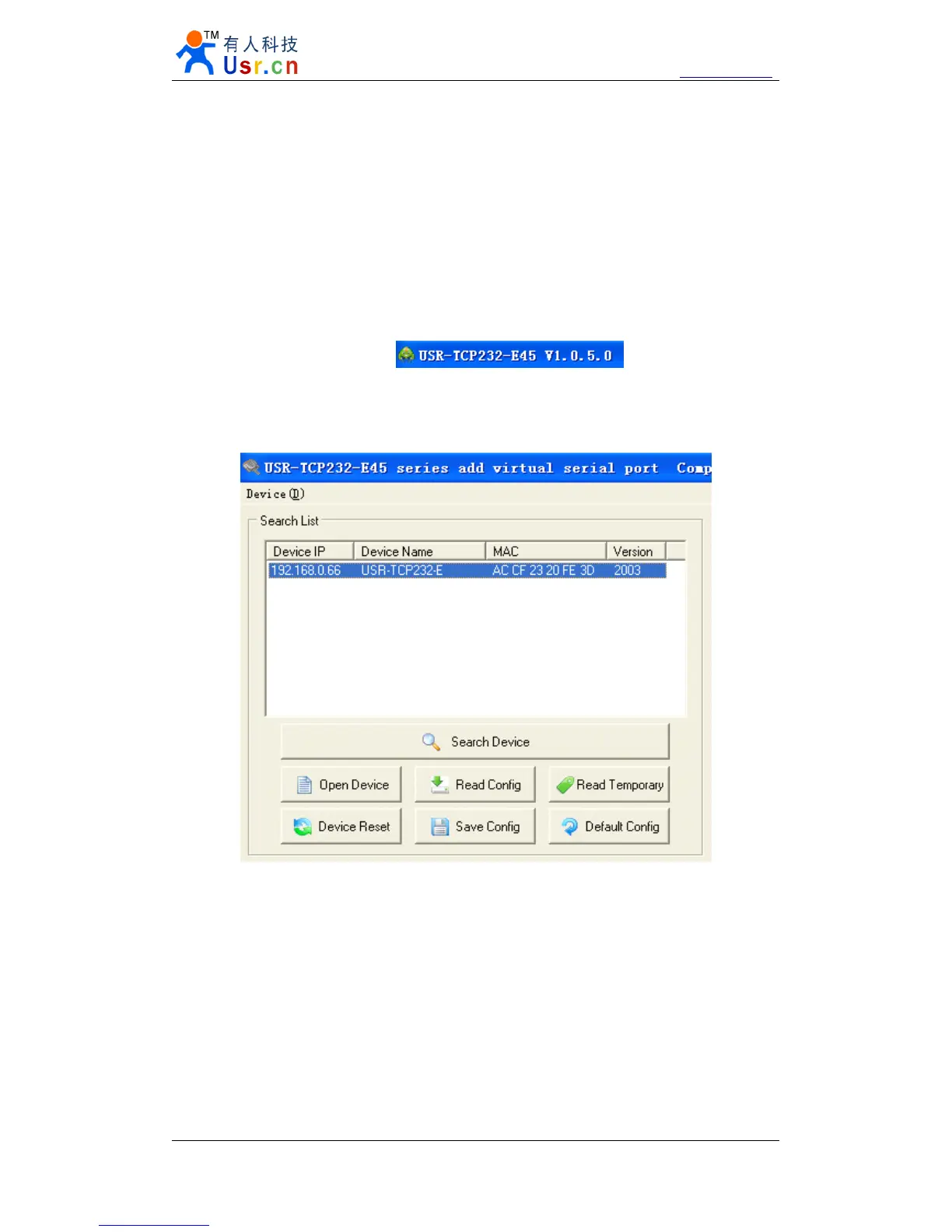
1. Search and select one module
Diagram 5 - 6 search and select
2.
‘
Device
’
-> firmware update


 To Next Page