Operation Panel
4-106
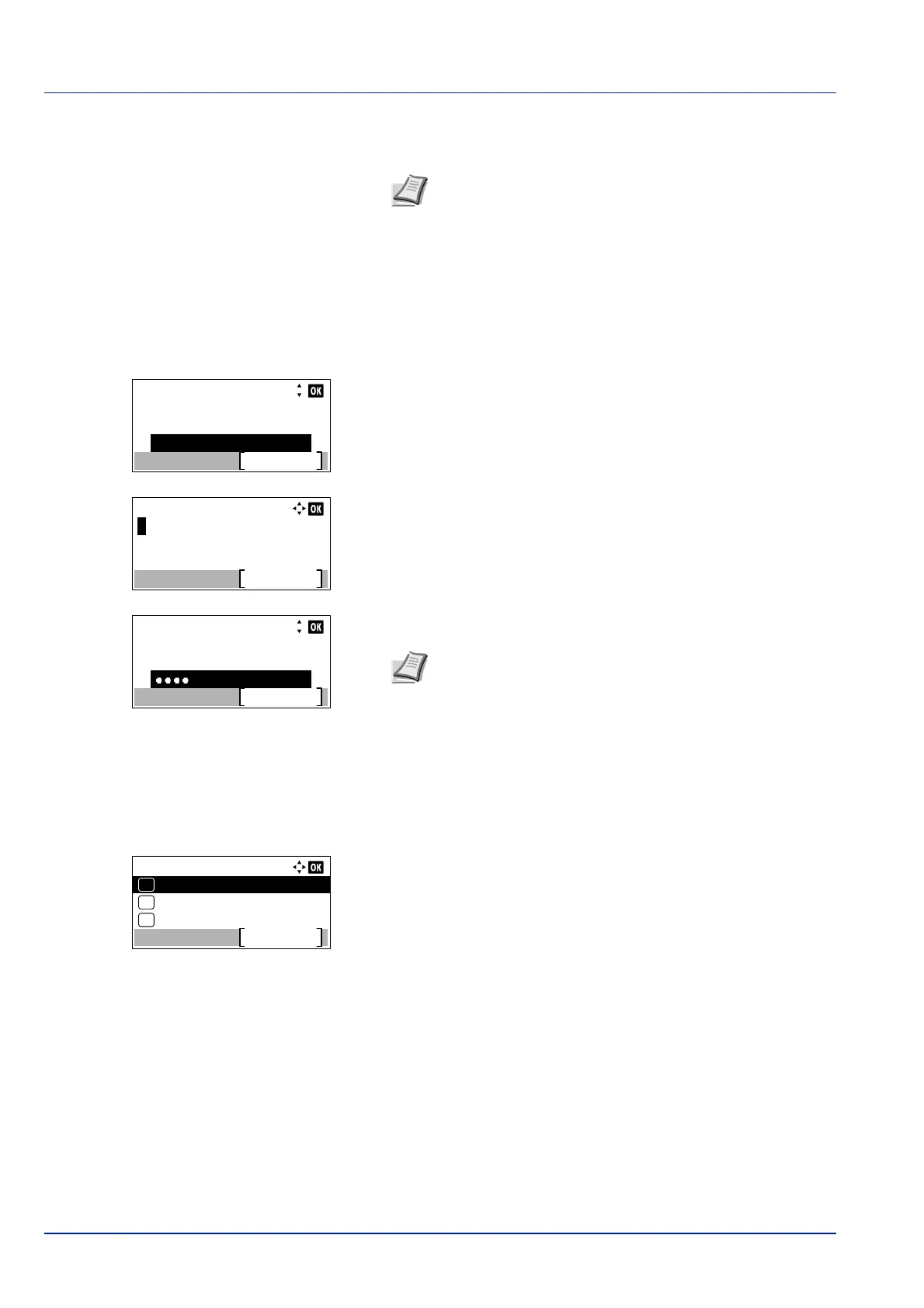
4 Enter the Login User Name using the numeric keys then press [OK].
The log in screen reappears.
5 Press or to select the Login Password entry field.
6 Press [OK]. The Login Password entry screen is displayed.
7 Enter the Login Password using the numeric keys then press [OK].
The login screen reappears.
8 Pressing [Login] ([Right Select]). If the entered Login User Name
and Login Password are correct, the Timer Setting menu appears
showing a list of available options.
Note The initial setting for the administrator's Login User
Name is set as shown below.
P-4531DN: 4500
P-5031DN: 5000
P-5531DN: 5500
P-6031DN: 6000
For details on entering characters, refer to Character Entry
Method on page A-2.
Login User Name:
Login
Login Password:
6000
Login User Name:
Login
Login Password:
6000
Note The initial setting for the administrator's Login
Password is set as shown below.
P-4531DN: 4500
P-5031DN: 5000
P-5531DN: 5500
P-6031DN: 6000
For details on entering characters, refer to Character Entry
Method on page A-2.
Timer Setting:
Sleep Level Set.
Exit
03
PanelReset Timer
02
01
Auto Panel Reset


 To Next Page
 Loading...








