4-119
Operation Panel
Low Toner Alert (Setting for the alert level for toner addition)
This sets the toner addition alert level displayed on the status monitor.
1 In the Device Common menu, press or to select Low Toner
Alert.
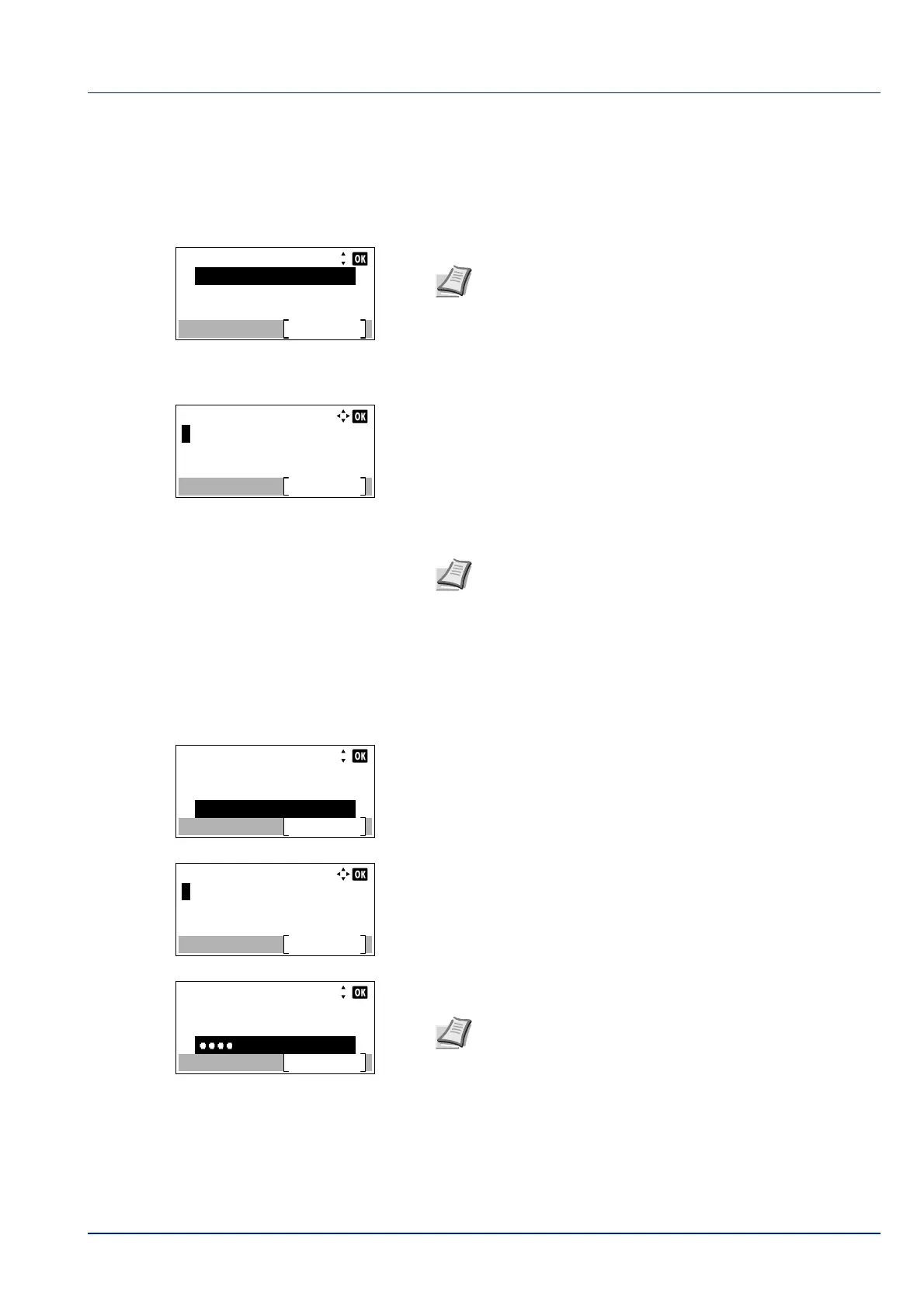
2 Press [OK]. The Login screen appears.
3 With the Login User Name entry field selected, press [OK]. The
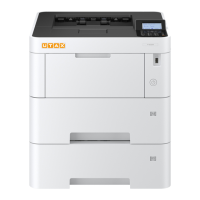
Login User Name entry screen is displayed.
4 Enter the Login User Name using the numeric keys then press [OK].
The log in screen reappears.
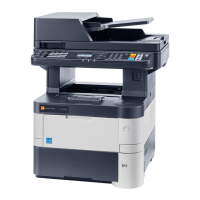
5 Press or to select the Login Password entry field.
6 Press [OK]. The Login Password entry screen is displayed.
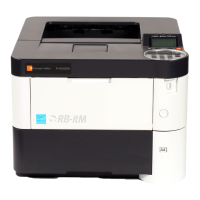
7 Enter the Login Password using the numeric keys then press [OK].
The login screen reappears.
Login User Name:
Login
Login Password:
Note When user login administration is set:
• When logged in as an administrator, the log in screen is
not displayed and the Low Toner Alert menu screen is
displayed.
• The setting is not possible when logged in as anyone other
than an administrator. Log in again as an administrator.
Note The initial setting for the administrator's Login User
Name is set as shown below.
P-4531DN: 4500
P-5031DN: 5000
P-5531DN: 5500
P-6031DN: 6000
For details on entering characters, refer to Character Entry
Method on page A-2.
Login User Name:
Login
Login Password:
6000
Login User Name:
Login
Login Password:
6000
Note The initial setting for the administrator's Login
Password is set as shown below.
P-4531DN: 4500
P-5031DN: 5000
P-5531DN: 5500
P-6031DN: 6000
For details on entering characters, refer to Character Entry
Method on page A-2.


 To Next Page