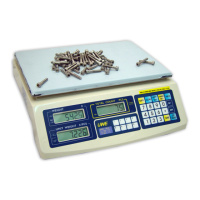
corresponding panel.
NOTE 1: In case of adding, do not empty load
from platter until the transaction is
completed.
NOTE 2: Also refer to 5.8.1 HOW AUTO UNIT PIECE
WEIGHT ENHANCEMENT FUNCTION WORKS for more
details
5.7 SAMPLING
Should the unit piece weight is unknown, follow
the below procedures to get the unit piece
weight.
a. Place a sample with known quantity on
platter
b. Enter the quantity of the sample through
the numeric keypad and confirm by pressing
NUMBER SET.
c. The scale will automatically determine the
unit piece weight. The unit piece weight
will then be displayed on the UNIT WEIGHT
PANEL.
d. Sampling process is now completed.
NOTE: For best counting result, refer to
MINIMUM PIECES, WEIGHT APPLIED & SAMPLE SIZE
SPECIFICATIONS for recommended minimum piece
weight and sample size
5.8 AUTO PIECE WEIGHT ENHANCEMENT FUNCTION
In order to obtain the best counting result
and to avoid and minimize sampling error, this
scale is equipped with the AUTO UNIT PIECE
WEIGHT ENHANCEMENT function.
This function will automatically be employed
when the unit piece weight is obtained through
the sampling method as described in 5.7.
5.8.1 How AUTO UNIT PIECE WEIGHT ENHANCEMENT
FUNCTION Works
After a unit piece weight is obtained by methods
as described in 5.7, then place more loads onto
the platter. The new quantity will be shown
on the TOTAL COUNT PANEL.
The AUTO UNIT PIECE WEIGHT ENHANCEMENT function
will update the unit piece weight if both
requirements of below are met:



 To Next Page