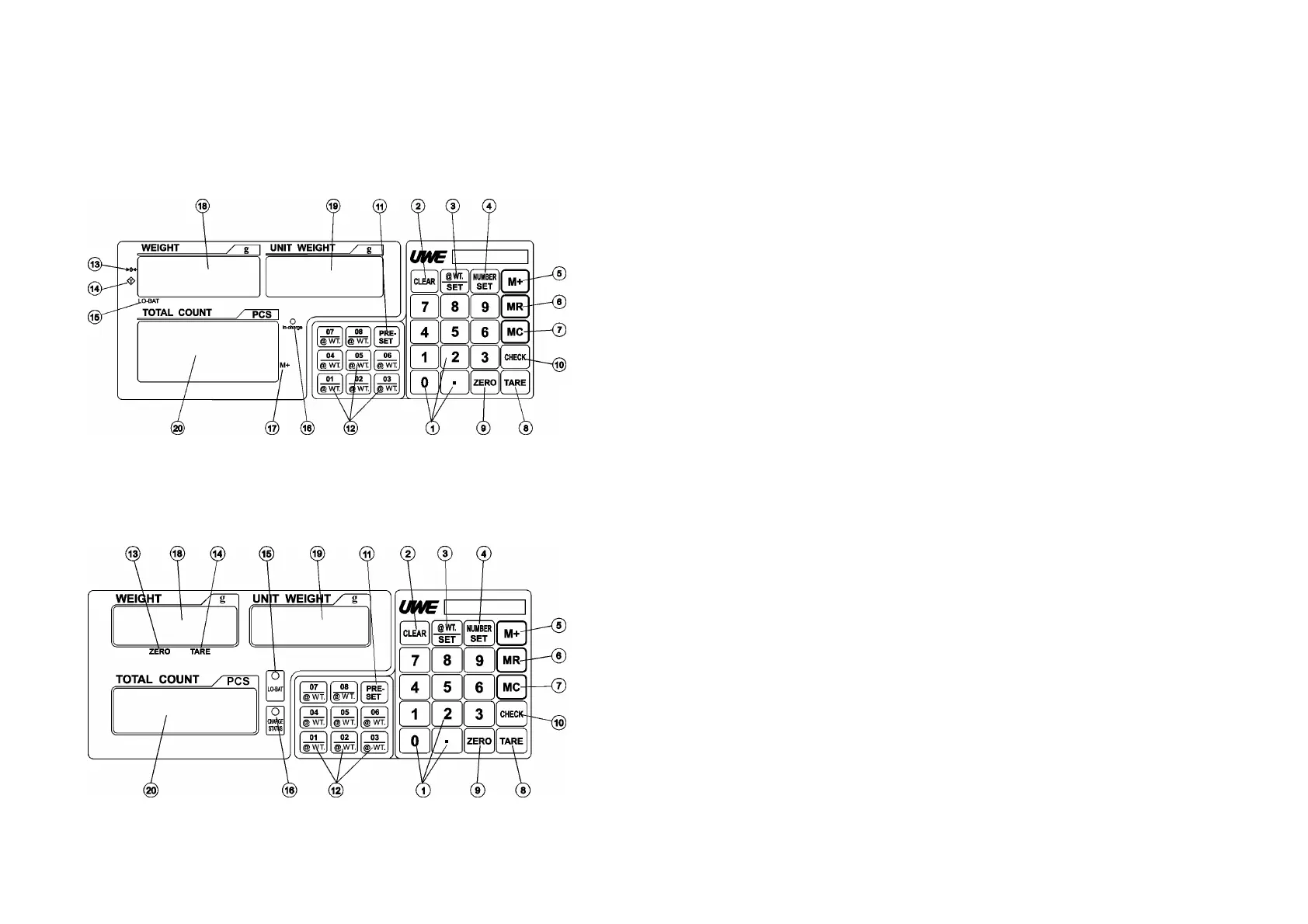
3. KEYBOARD & PANEL LAYOUT AND
DESCRIPTION
KEYBOARD & PANEL LAYOUT (OAC & OEC)
KEYBOARD & PANEL LAYOUT (OVC)
DESCRIPTION
1. NUMERIC AND DECIMAL KEYS
Press these keys to attain the desired numeric
value.
2. CLEAR KEY
Press this key to clear the numeric figure
entered.
3. UNIT PIECE WEIGHT SET KEY
Press this key to enter a unit piece weight.
4. NUMBER SET KEY
Press this key to enter the number of pieces
on platter.
5. M+ KEY
Press this key to add current total count to
memory.
6. MR KEY
Press this key to recall individual counting
result and accumulated total counts.



 To Next Page