AV Bridge MATRIX PRO
AV Bridge Matrix Pro Manual - Document Number 342-0915 Rev C Page 43 of 68
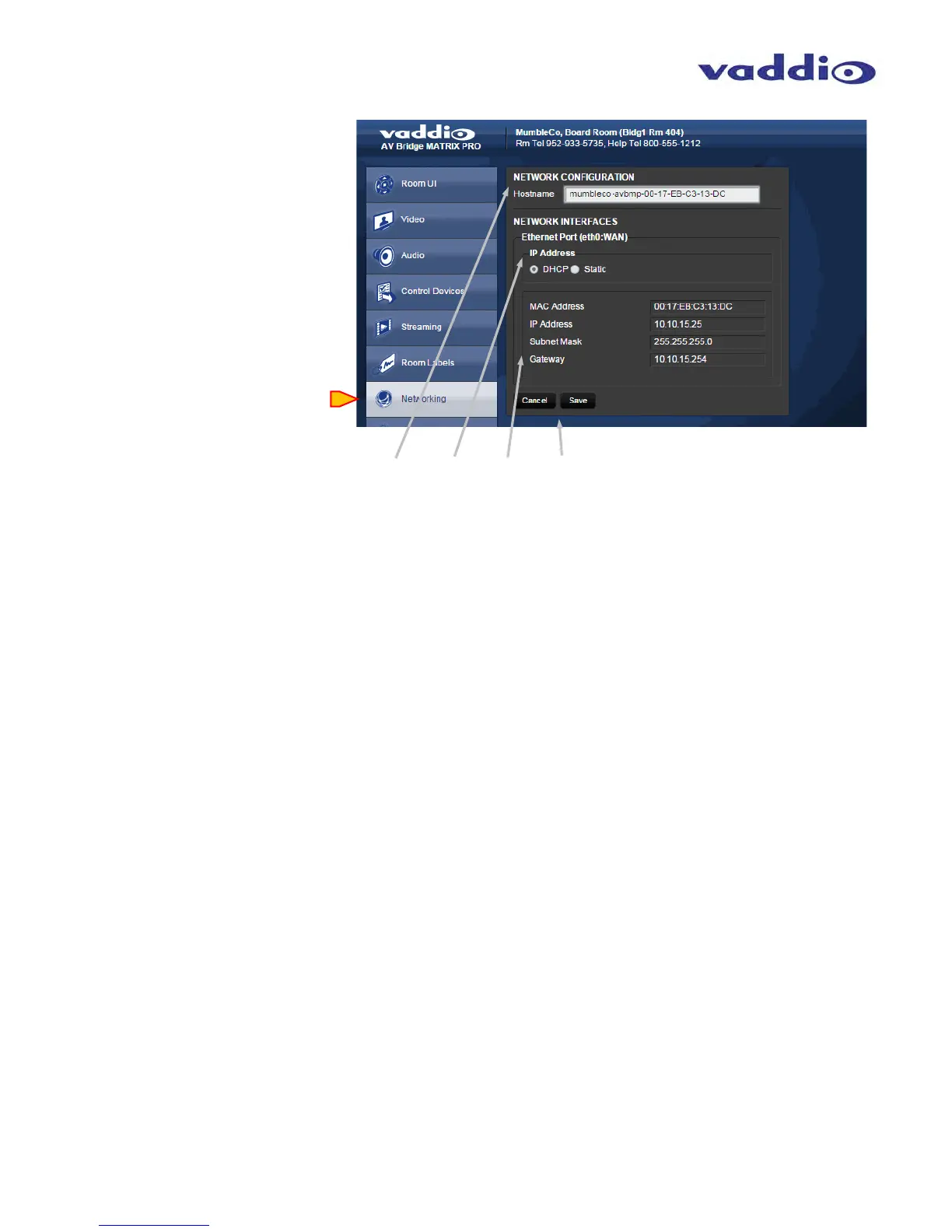
Screen Shot: Networking
Network Configuration: Hostname: Enter a new hostname if desired.
Network Interfaces: Ethernet Port: Select DHCP or Static Ethernet address with the radio buttons. Choosing
Static will allow for editing of address.
Network Interfaces: MAC Address, IP Address, Subnet Mask, and Gateway are displayed. Configuration of these
parameters might require consultation with the IT department in a business or educational facility for security reasons.
Network Interfaces: Cancel & Save: Cancel will exit the Room Label editing mode, without saving any changed
parameters. Save will store any changes of the above information, overwriting any previous saved labels.



 To Next Page