AV Bridge MATRIX PRO
AV Bridge Matrix Pro Manual - Document Number 342-0915 Rev C Page 44 of 68
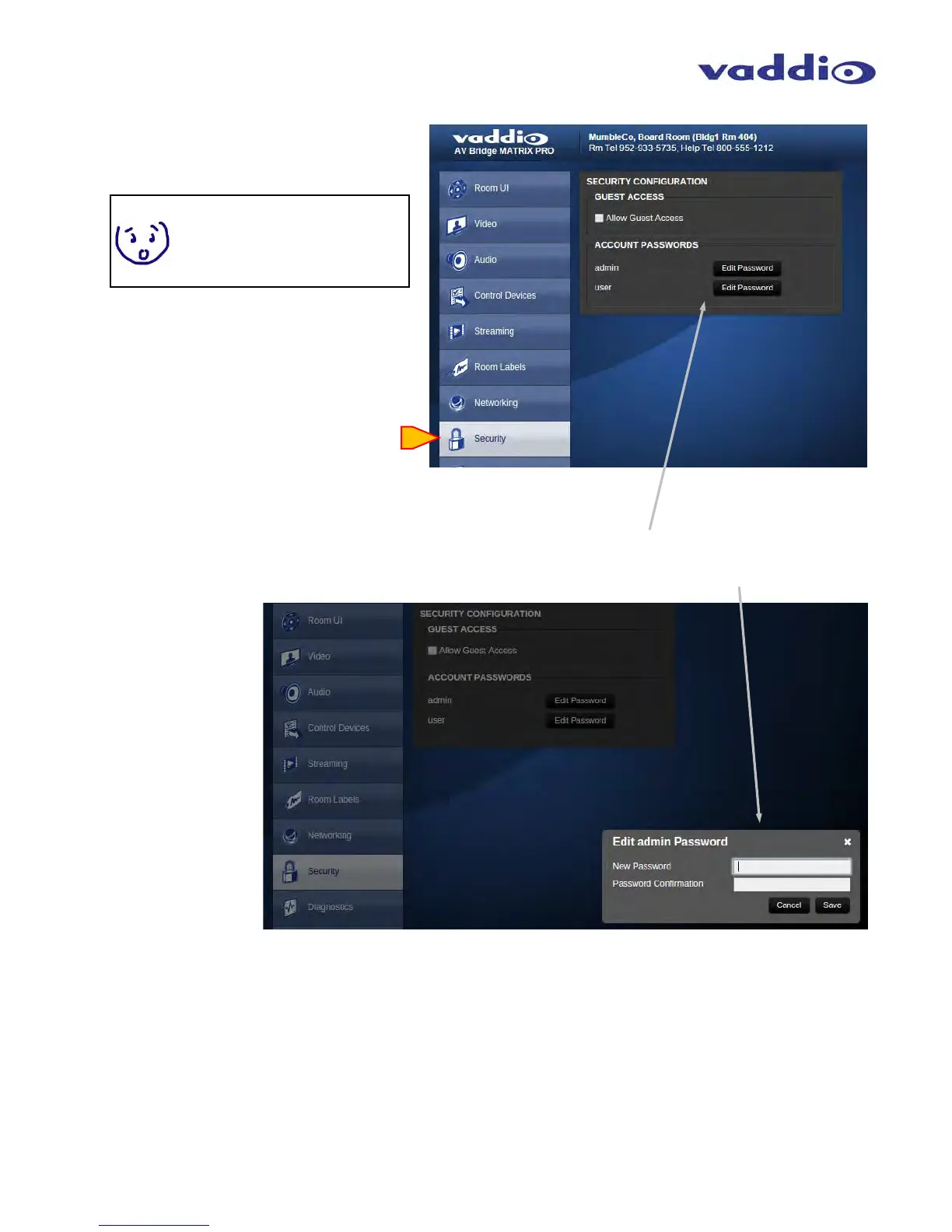
Screen Shot: Security
Edit Password: Opens a dialog box to change
the password.
Note: At this time, only the Admin
password is used.
Guest access is enabled by default.
This only provides access to the
Room UI screen.
Edit admin Password: The Cancel button will
exit the Edit box. Save, by definition, will save
the new password, provided the New Password
and Confirm New Password are identical.



 To Next Page