AV Bridge
Vaddio AV Bridge - Document Number 342-0518 Rev C Page 14 of 36
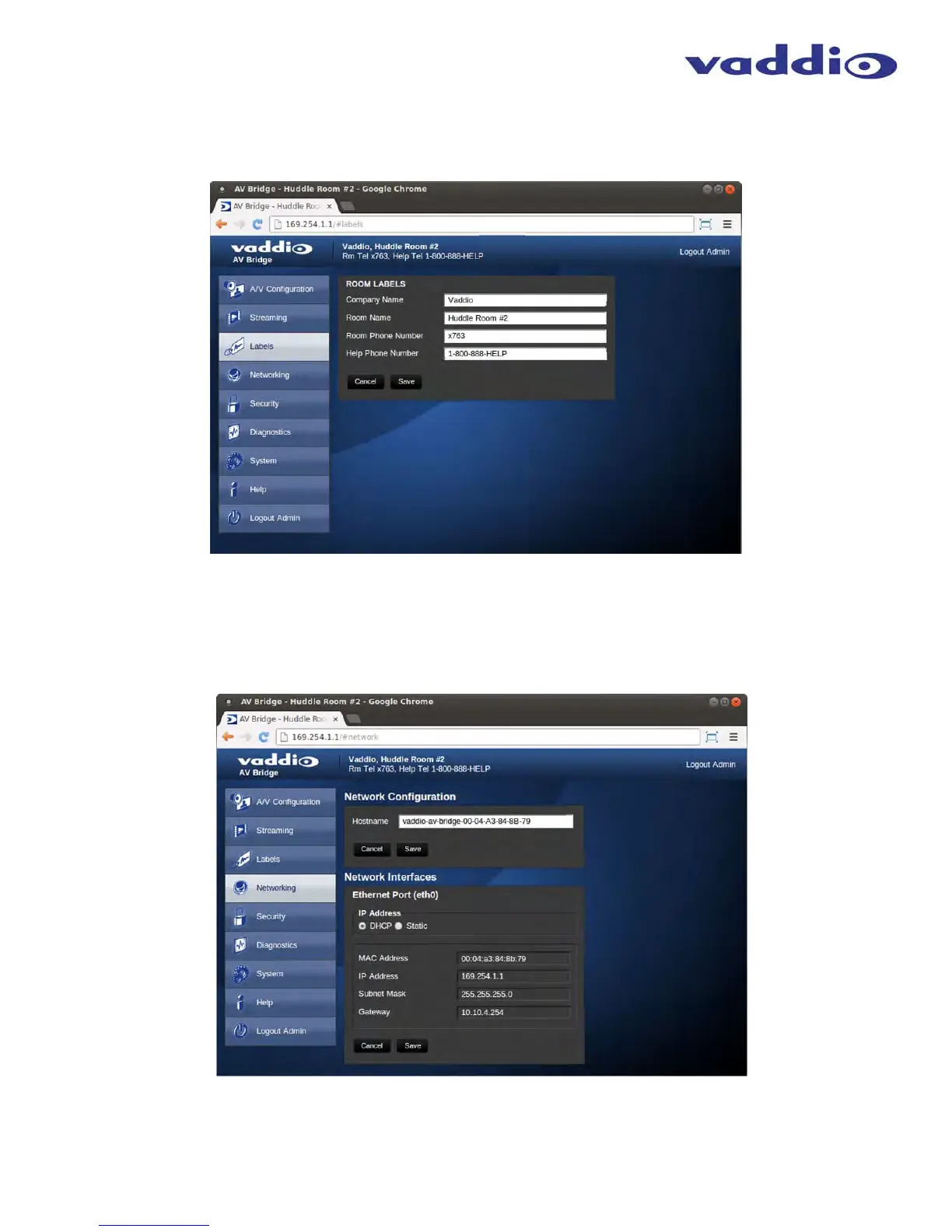
Screen Shot: Room Labels
The room Labels menu allows the admin to label the company name, room name, room phone and help phone on
a per camera basis. The labels appear on every page at the top/middle of the page. Simply enter the room
information and click Save.
Screen Shot: Network Configuration - DHCP
The Networking page is used to configure the AV Bridge IP addressing. It supports either DHCP or Static IP address along
with a Host Name. It also includes MAC address associated with the AV Bridge. All IP addressing is available on the front
panel LCD as read only text.
➲
➲
➲
➲
➲
➲
➲
➲



 To Next Page