AV Bridge
Vaddio AV Bridge - Document Number 342-0518 Rev C Page 15 of 36
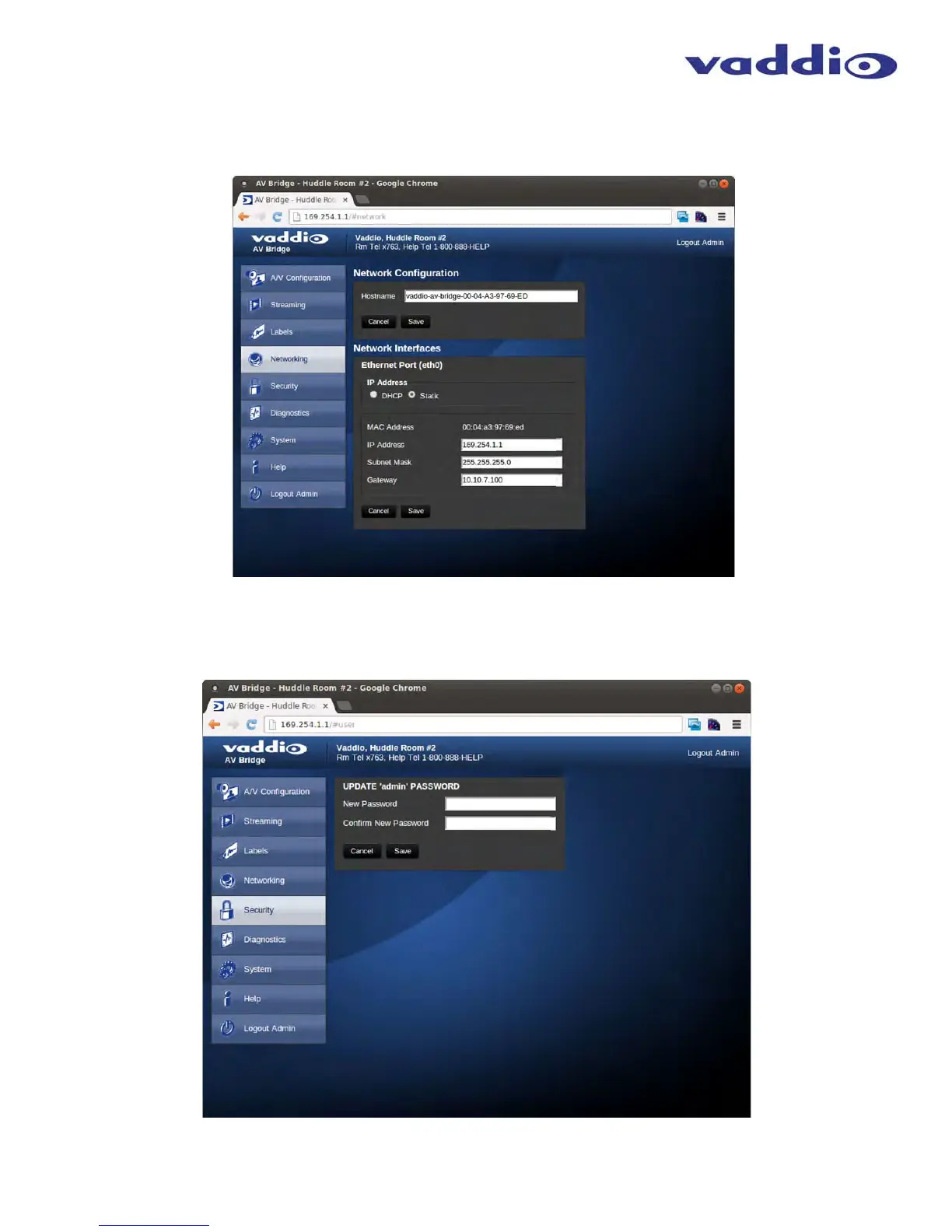
Screen Shot: Network Configuration - Static IP
To set up the Ethernet Port to Static IP address, click on Static and enter the IP address, the subnet mask and the
gateway and click on save. Double check the data prior to clicking save.
Screen Shot: Security
The admin account has a password for login security. The admin account will always require a password entry for login to the
administrator pages on the AV Bridge. The AV Bridge ships with a factory default password of: ‘password’, but can be
modified after initial login.
➲
➲
➲
➲
➲
➲



 To Next Page