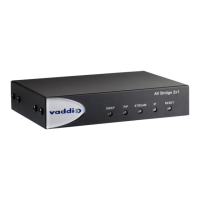
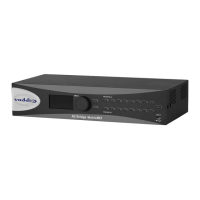
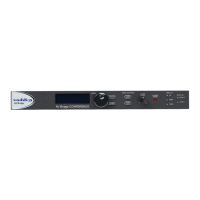
AV Bridge
Vaddio AV Bridge - Document Number 342-0518 Rev C Page 35 of 36
Fixed Issues:
VU Meter Operation: The front panel VU Meter has scale has been improved providing a relative audio level of
the input. This modification also included a hardware change to the meter circuit on the AV Bridge.
RGBHV Alignment: The automatic video alignment function has been improved to support most PC video
display cards.
Audio/Video Synchronization: The Audio and Video synchronization associated with the AV Bridge processing
was improved.
Interoperability Testing & Findings:
The following interoperability testing was performed for this release. A detailed list of all interoperability findings
can be found in the EasyUSB Tools Interoperability FAQ document.
AV Bridge UC Client Interoperability Testing
Software Client Operating System Issues
Cisco Jabber Win 7 & Mac OS 10.X None
Skype Win 7 & Mac OS 10.7 None
Adobe Connect 8 Win 7 & Mac OS 10.X Potential UVC conflict with two generic video
cameras connected to PC (i.e. built-in laptop
camera).
Microsoft Lync Win 7 None
Vidyo Desktop Win 7 & Mac OS 10.X None
Polycom M100 Win 7 None
LifeSize ClearSea Win 7 None
Google Plus Win 7 None
Gotomeeting (Citrix) Win 7 & Mac OS 10.X None
WebEx (WBS28.7) Win 7 & Mac OS 10.X Must use WebEx WBS 28.7 and above for
compatibility.
Panopto Win 7 None
USB Audio Support with UC Clients: The majority of the Unified Communication (UC) software clients only
support a mono audio record device. The AV Bridge does support Stereo USB audio. However, the UC clients
will only consume the Left audio channel of the AV Bridge by default. If no microphone audio is being seen by the
UC software client please check that an input source is available on the Left Channel (Balanced or Unbalance) on
the AV Bridge.
Windows XP: User may experience some limited PC controls (volume and mute) when using Microsoft XP SP2
and below. Specifically, the volume sliders on PC may have limited range. This is due to Microsoft change in
USB device support for audio volume controls.
Backward Compatibility:
Software Release cannot be downgraded once 1.2.0 is loaded.
NO RUG
PULLING



 To Next Page