Chapter 8 ________________________________________________________ Displays and Menus
VAISALA _______________________________________________________________________ 47
Menus and Navigation
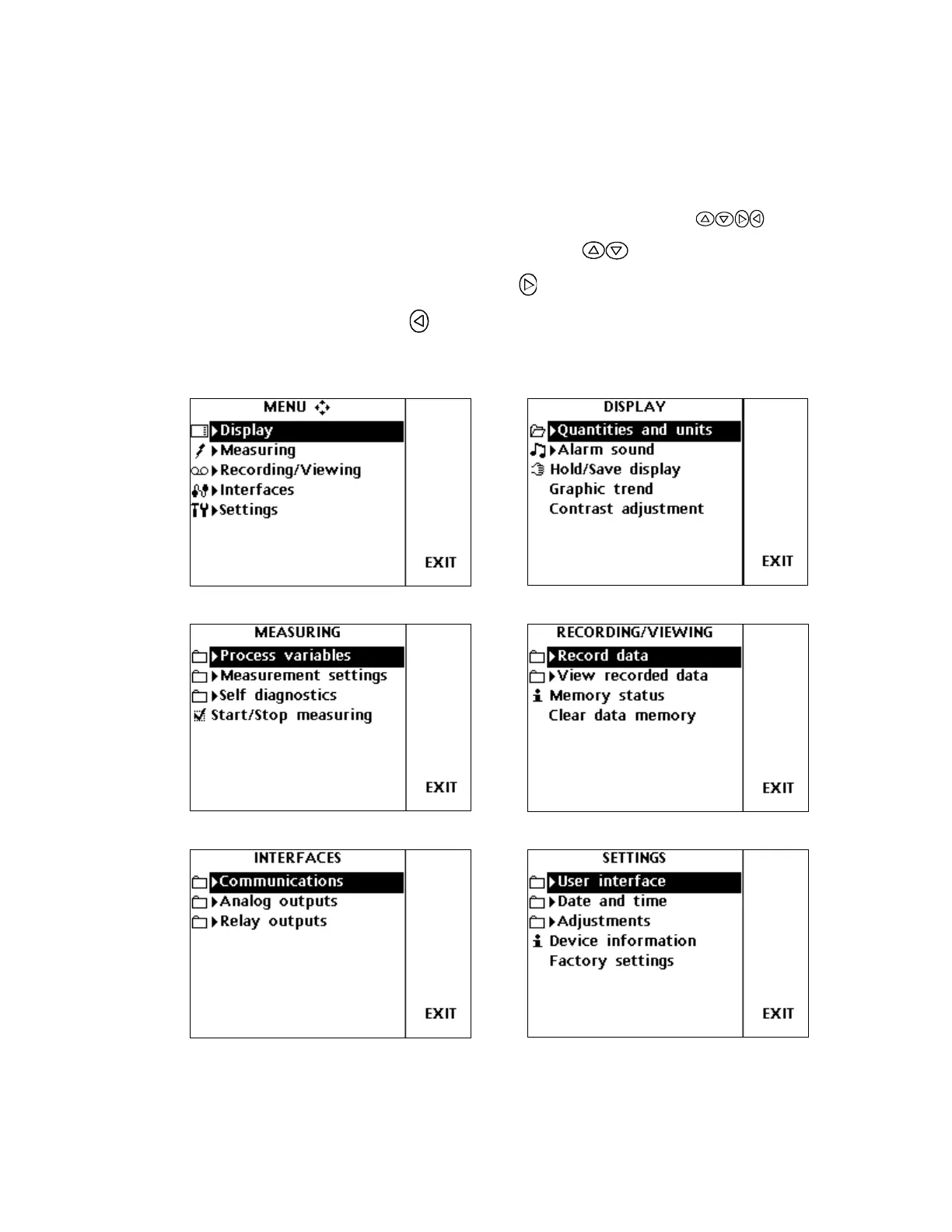
In the menus you can change settings and select the functions.
1. Open the main menu by pressing any of the buttons.
2. Move in the menus by using buttons.
3. Select the item with button.
4. Press to return to the earlier level.
5. Press EXIT to return you back to the main view.
Figure 18 DM500 Menus and Displays



 To Next Page